Workstation Agent 3.2 New Features
This document outlines new features and functionality in the ‘WebAdmin’ and ‘Profile Manager’ interfaces for the Netsweeper 6.2.2. See also the Netsweeper 6.2.2 Releases and Downloads.
The Netsweeper WorkStation Agent BETA is now available! Netsweeper has been working diligently to enhance the Workstation agent and to resolve minor reported issues. Workstation Agent 3.2 is compatible with any Netsweeper installation, and introduces many exciting new features:
Optionally detect network changes and make another request (IP changes)
There is a new policy type, 'Keyword' that is used for the keyword / safeguarding / inline content scanning
There is support for parsing Radius attributes that are rewritten and logged with attribute := value
Groupname lookup module now looks up the default group for a username with the format of username@context when configured
CentOS 6.10 complete base upgrade including all security fixes and updates
NSProxy has a new module that can scan traffic for a set of keywords
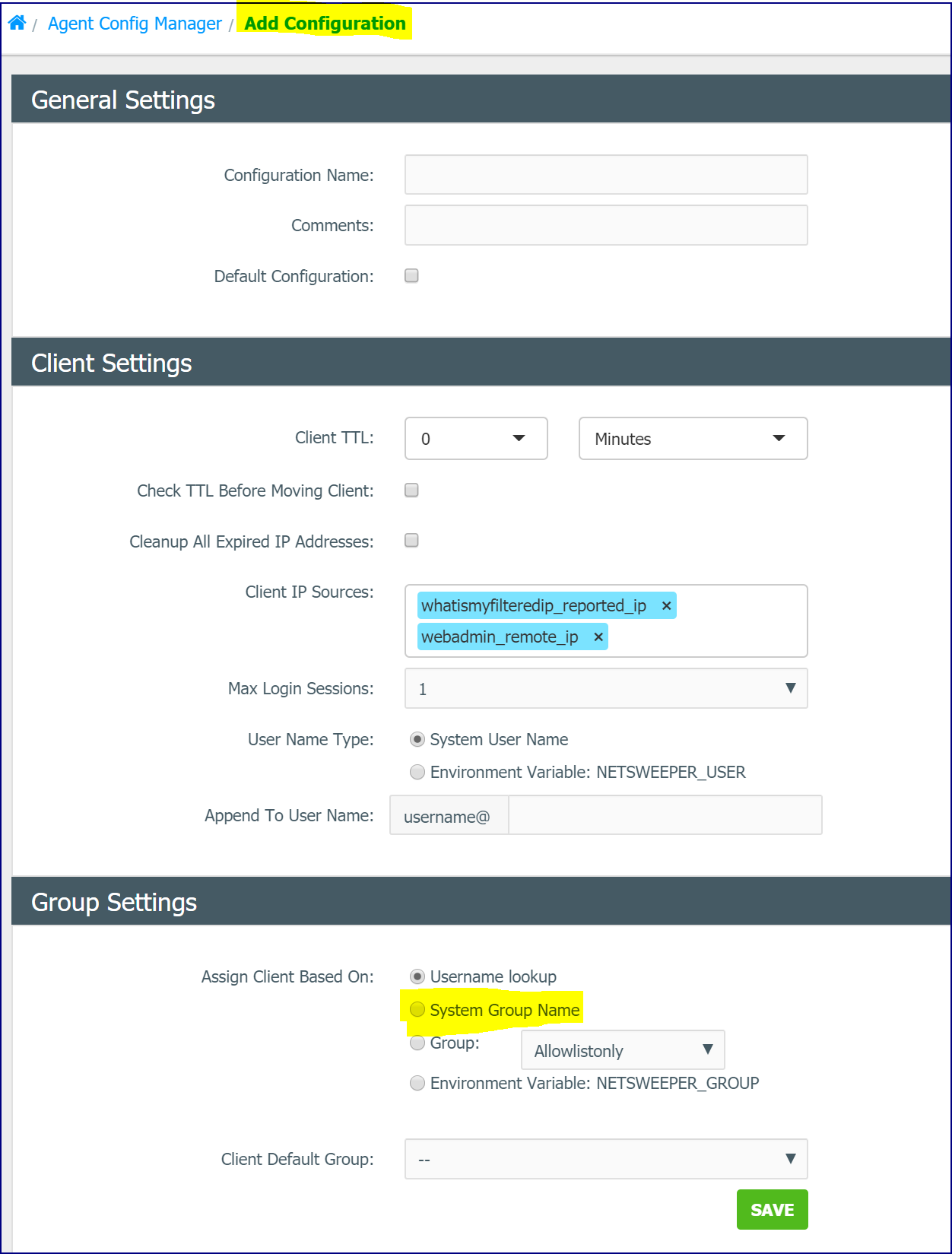
WAgent 3.2 added a new optional 'system_groupname'. It can lookup the Active Directory group name based on the group name prefix and send this to the WebAdmin removing the Directory Sync requirement. You must be running the Netsweeper 6.2.2 or above to get the new system group name Agent Configuration setting in the WebAdmin. Otherwise, this option can not be processed by the WebAdmin the Workstation Agent is connecting to. In Netsweeper 6.2.2 there is a new 'System Group Name' field added to the 'Add Configuration' window of the 'Agent Config Manager'.
WAgent usage has been updated in the 'Agent Config Manager' help text.
Option |
Description |
-w host |
WebAdmin API host |
-g guid |
WebAdmin agent GUID |
-d host |
What is my filtered IP host? |
-p host |
Proxy host |
-f |
Enable
logging to: |
-t secs |
Resend time (seconds) |
-i |
Resend when Interface changes occur |
-l |
Resend when Screen Unlocked |
-n |
Format user in UPN format |
-s prefix |
Group name search prefix |
-a |
Append domain to user |
-D domain |
Domain override |
-U username |
User override |
-G groupname |
Group override |
-A |
Append domain to group |
-v |
Show in the system tray |
-6 |
Enable ipv6 address assignments |
-h |
Help |