Reporter Documentation
Request Logs Window
The 'Request Logs' window catches the traffic on each policy server, by polling the request logs every second. The viewer displays up to 50 logs per server with the display limit set by the 'Logs Per Page' option in WebAdmin Settings. The 'Settings' icon on the toolbar lets you show/hide column heading. You can click in the log viewer to pause the flow of the logs or you can click the Play/Pause button in the Header Table. The 'Search' field allows you to search for log entries. The More icon in each row of the Action column displays the options: Category Lookup, Category Alert, Group Details, Group Search, Client Search, Client Search IP, Trace Request, Add URL to List, and Manage Client. The Group options will only display if a Group is found, and the 'Client Search Name' option will only display if a Client name is found. Clicking the Advanced icon will display the 'Advanced Filter' window. Click the Add Filter link and select how you want to filter the log view. These Filters can be saved or shared.
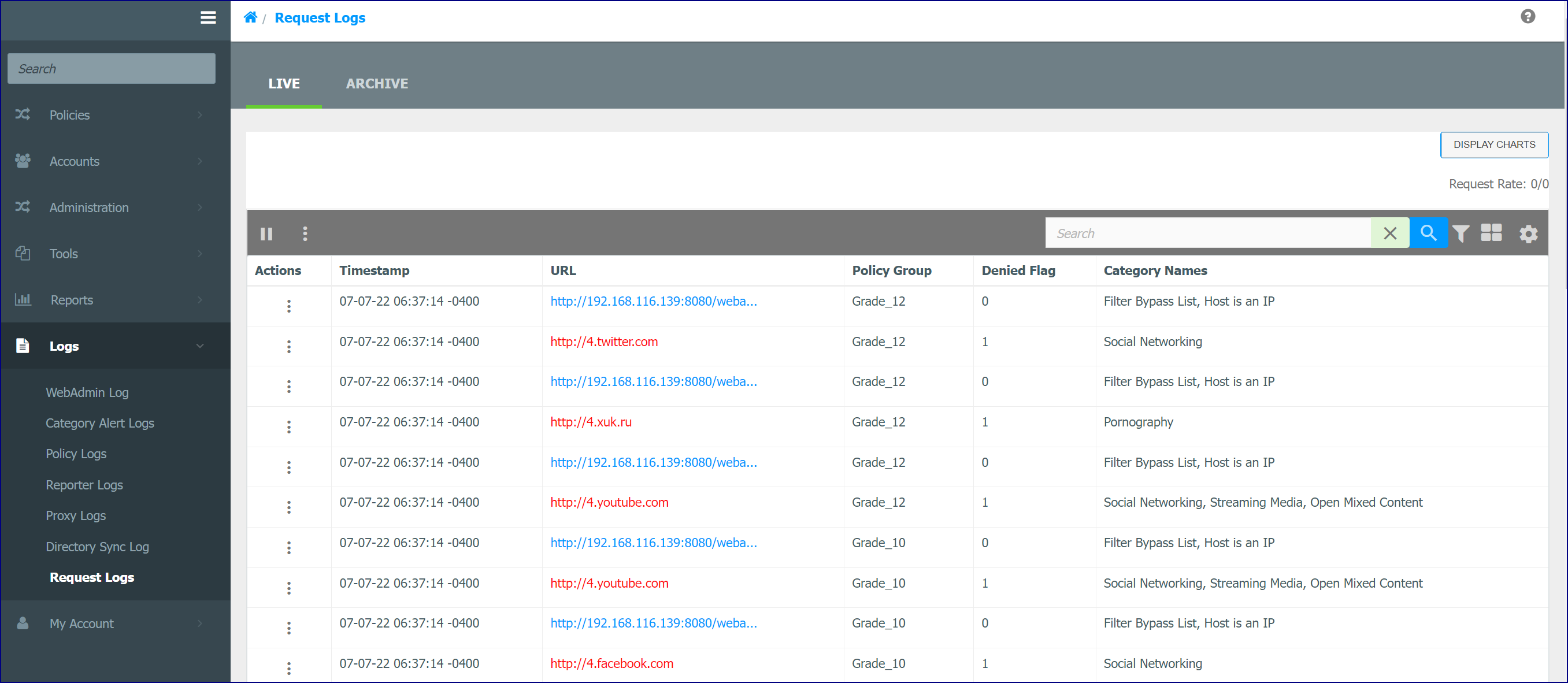
Read: Request Logs Overview
Reporter Service Overview
The Netsweeper service generates Reports for you that are easy to understand, giving you the power to review Internet usage on your network. The data from our reporting services provides insight into network traffic or information on specific requests, websites, or users. The high-performance reporter can gather requests based on specified criteria and sort them, calculate statistics, and present results in tables and charts.
There are four main components involved in Netsweeper's reporting functionality:
-
Policy Server: Makes policy decisions and sends logging information to the logging service
-
Logger: Receives logging data from the policy service and logs this data as configured
-
Web Server: Provides an interface for creating Demand, Scheduled, and Continuous reports
-
Reporter: Reads report definitions and processes log data to create reports
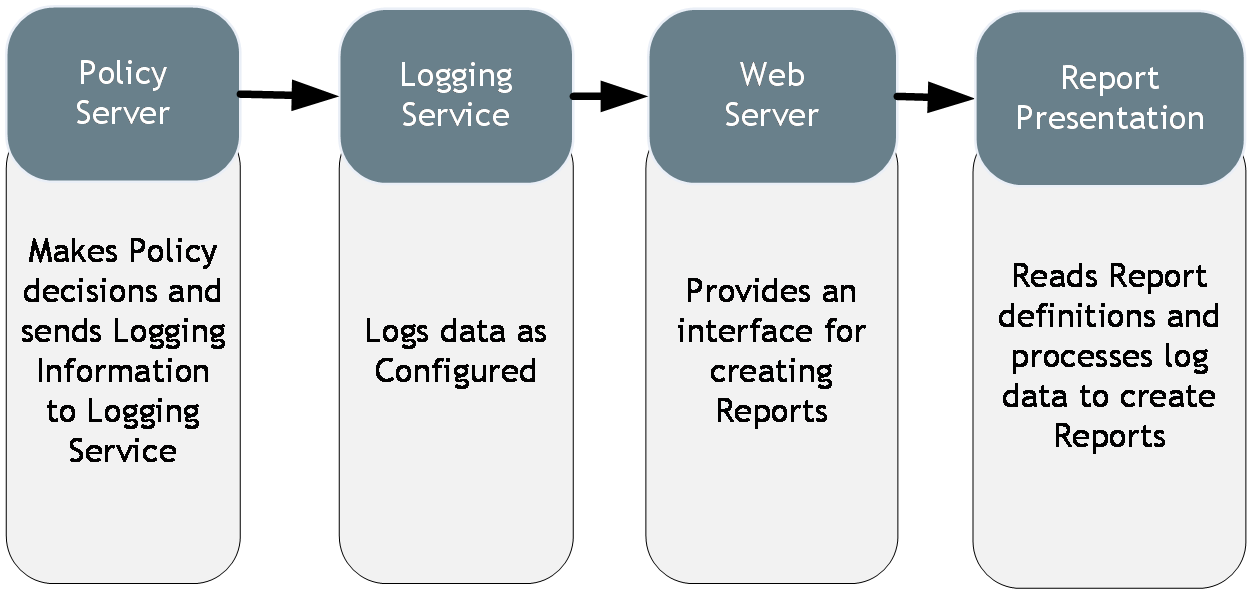
Reporter Service
Custom Reports
Quick Reports
WebAdmin General Functionality
This link displays a page that gives a brief overview of the general functionality of the WebAdmin.
Topics are:
-
Filter Table Entries
-
Adding, Removing Columns
-
Seach Window Functionaltiy
-
Where to get Help
-
Multi-select options
-
Number of entries displayed on the page
-
Quick Search
-
Import and Export
Read: WebAdmin General Functionality