 See Also
When an Internet request goes through the Netsweeper filtering system, Netsweeper records information about the request in its ‘Request Logs’. You can use the Netsweeper Reporter subsystem to create different kinds of reports from the Request Logs. The Reporter can gather requests that match some criteria (such as requests issued from a specific IP address or requests to a specific web site), sort the results, calculate statistics, and present the results in a table or a pie or bar chart.
For each request, the Netsweeper system saves information about the following:
- The client (user or workstation) making the request
- The request target
- The filtering results and
- Optional information about the filtering infrastructure, such as the interceptor IP address and the policy server ID (These both require special configuration.)
You can use these data fields to mine records that interest you and to group records so that statistical calculations may be performed on them.
Viewing Reporter Logs
You can view Reporter messages and errors from the Logs menu in the WebAdmin in two ways:
-
By navigating to Logs > Reporter Logs.
-
By navigating to Administration > Services, selecting the Hostname for the desired Server to view its Services, selecting the 'More Actions' icon and choosing either Reporter Messages or Reporter Errors.
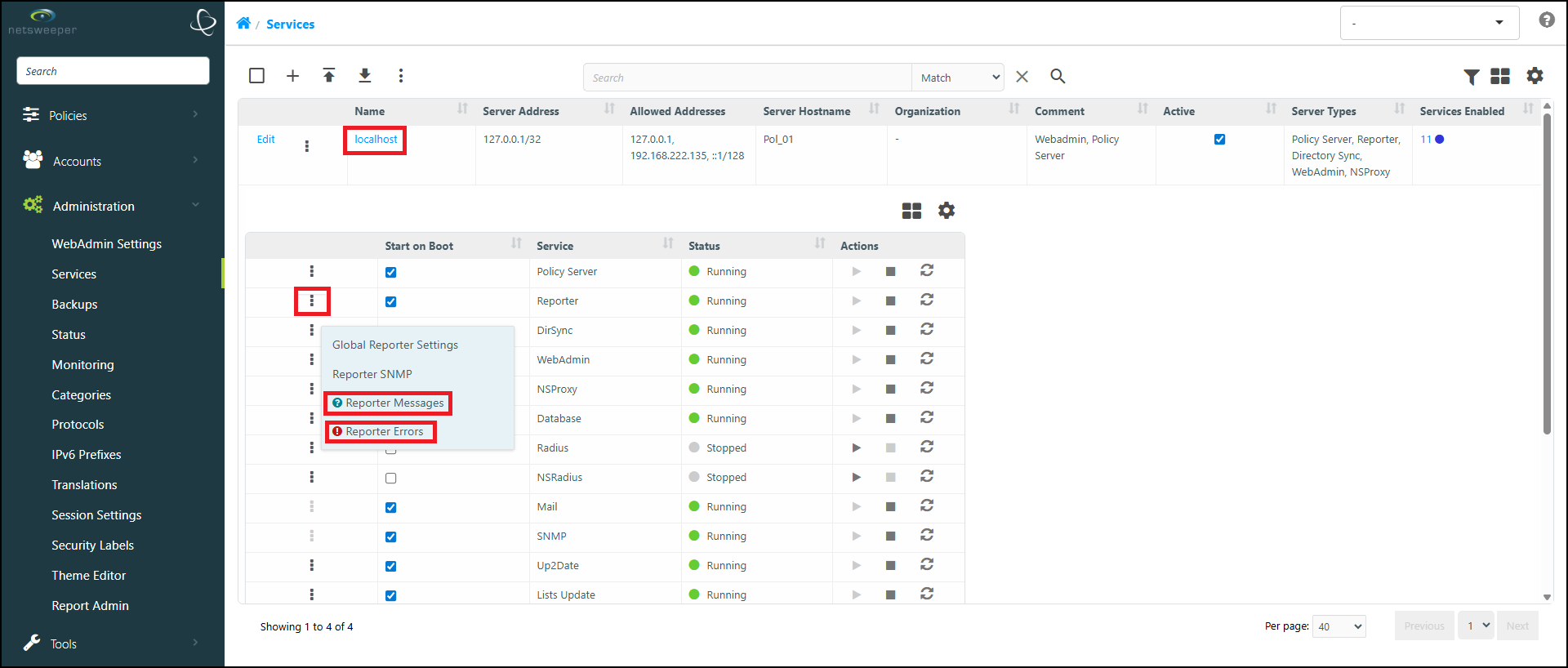
Reporter Logs – Messages Tab
A message is a record of an events generated by the Reporting daemon (a.k.a. nsreporter), including processing of Demand, Scheduled and Continuous reports.
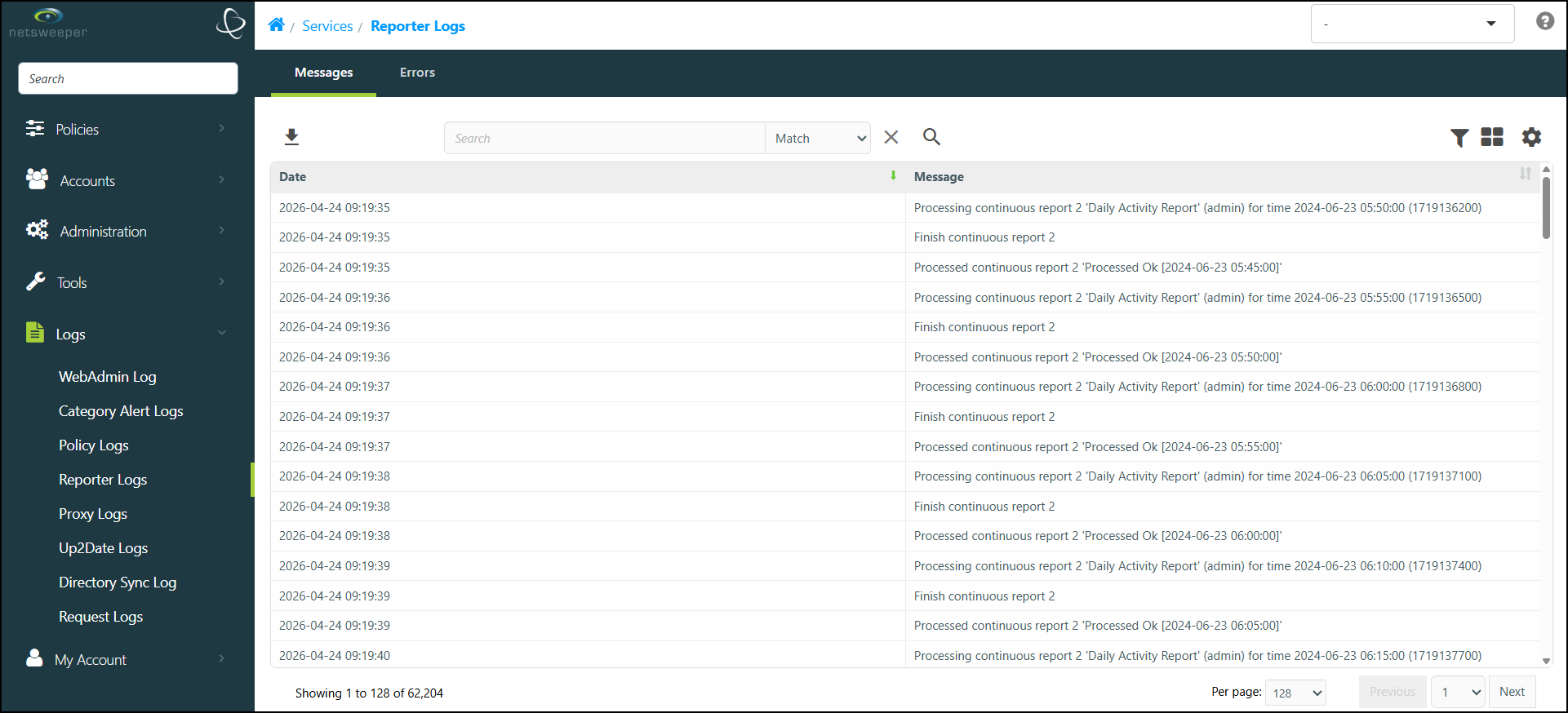
Reporter Errors
The Error Logs are records of error-events generated by the Reporting daemon. This information can be used by your Netsweeper Support staff to help troubleshoot unexpected Reporter behavior.
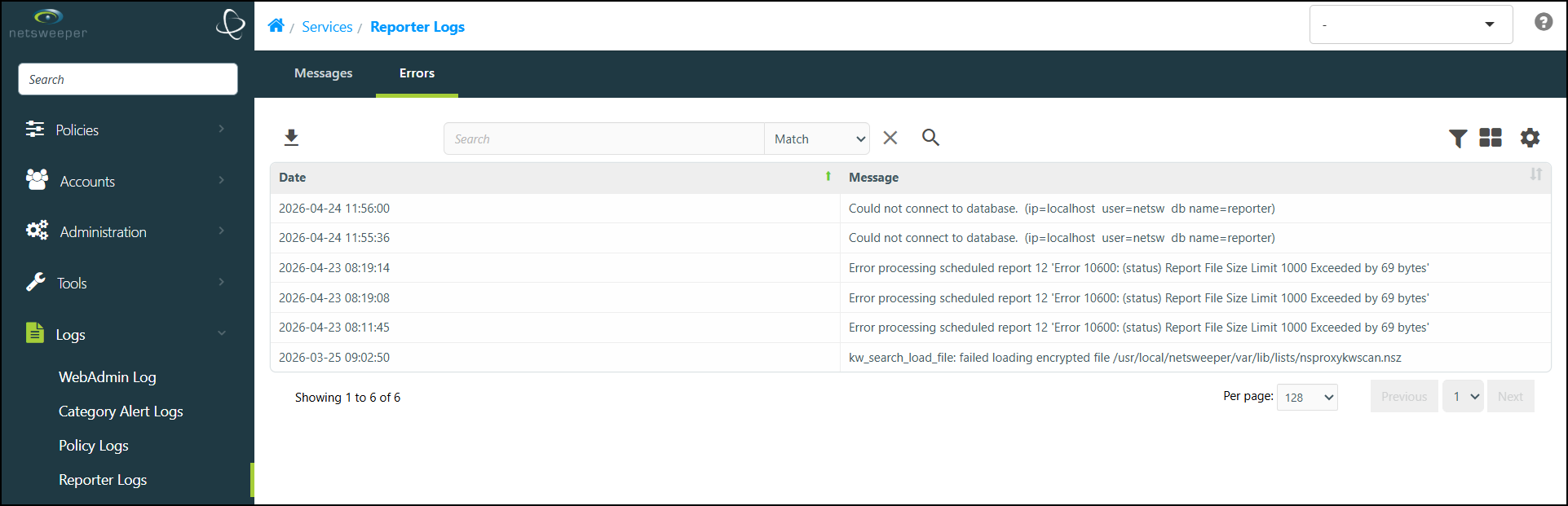
When creating Reports, the Demand Report will warn if there is no log data and the Scheduled Report warns if the interval is too large for the available log data.
Request Logs
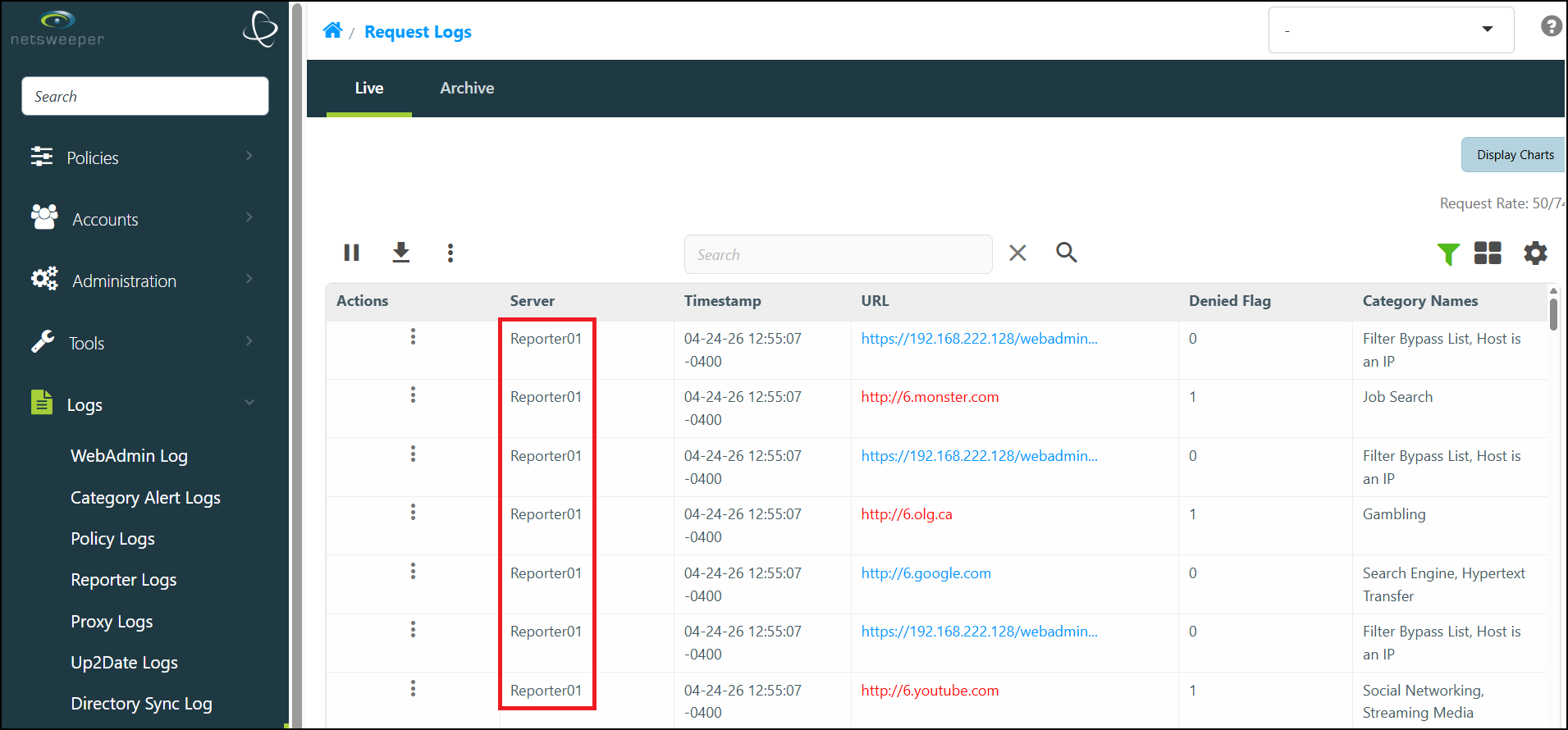
You can use the 'Request Logs' window in the WebAdmin to view Request Logs from all or individual Reporters.
In Logs > Request Logs, select the Advanced Filter icon to open the Advanced Filter side-menu. In the 'Server' field, choose the desired Server(s). Add and remove any servers as desired and select the Search icon to apply your filter.
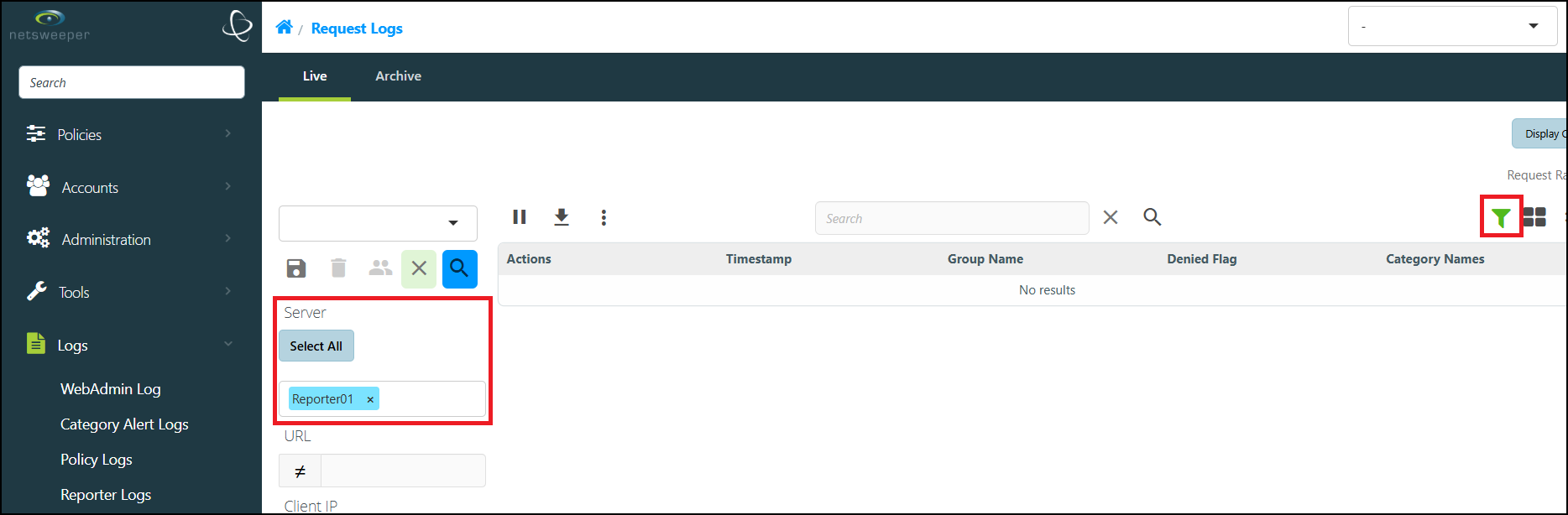
The Request Logs output will be updated to reflect your applied filters.
Information Logged by Default
Netsweeper logs the following information in the Request Log file by default, without additional configuration and in all filtering configurations:
- The date and time of the request.
- The Client IP address, the Client Name (if there is a user authorization procedure), and the filtering Group Name to which the client belongs.
- Categories (names and numbers) or pseudo Categories assigned to the request (See section below entitled ‘Pseudo’ Categories Capture Error Codes, Filtering Criteria).
- The Denied Flag, which indicates whether the request was Denied or Allowed bu the Policy Service.
- The complete URI of the HTTP or HTTPS request.
- The extended binary format file also logs the destination host IP address.
- Module information, (such as Authentication Module).
- Screenshots, (if available).
- Organization information.
In the text format as well as the extended binary format file, there are two fields for Categories. One field keeps all assigned Categories and the second one keeps only the Categories that caused request denial. If the request was not denied, both fields have the same value. The fixed binary format file includes only the second type of Categories field.
The Reporter partially parses the URI, so reports can include designated parts of the URI, such as the protocol, host or domain of the URI, instead of the complete URI.
Information logged with special configuration
If specially configured, Netsweeper can also log additional information. Please see Logging Use Cases for more information.
Flexible Logging
Flexible logging allows you to specify request log record fields that should be written to log files or sent to a remote logger server. The 'Request Log Record Fields' section found in Policy Server Settings (nsd) allows you to specify request log fields. This global setting specifies the fields set for remote logger, text format and extended binary log files.
Available fields are:
- url
- client
- group
- policy
- ip
- dst
- denied
- category
- interceptor peer
- server_id
- method
- agent
- referrer
- type
- data
- module
- workstation
- screenshot image
- allcategories
- deniedcategories
For a complete list, please see the ‘Request Log Record Fields’ settings in Policy Server Settings
Group Segmented Logging
Group Segmented Logging allows you to segment your log files by Group or by a specific tag. This makes it easier to manage and search through request log archives for specific logs.
‘Pseudo’ Categories Capture Error Codes, Filtering Criteria
The default information logged about a request include both real and “pseudo” Category assignments. Netsweeper assigns real Categories to a request, based on its page contents (such as sports, travel, or news) or its file type (images or 'no text' files). Pseudo Categories, on the other hand, capture information about error codes and filtering criteria. If you capture the pseudo Categories in Reports, you will find them very useful for reviewing and assessing users’ browsing behavior and the operation of your filtering network.
The three types of pseudo Categories are as follows:
- The requested content has not yet been Categorized. (For example, Netsweeper assigns the temporary pseudo Category “New URL” to a URL very briefly, until the Netsweeper Categorization Engines are ready to assign Categories based on the subject content.)
- The requested page or entire website is included on a special list or resides on one of the Netsweeper URL and Keyword lists, used to refine and provide exceptions to Category-based filtering.
- An authorization or network issue is preventing Categorization, as is the case with the Invalid Serial, Unauthorized Access, Database Error, Network Timeout, and Network Unavailable pseudo categories.