Setting Permissions for a SysOp or Admin Account
In addition to Template-based Permissions, Permissions can be assigned on a per-Account basis, (unless they have been explicitly 'Disabled' by an applied Template). If no Template has been assigned or if some Template Permissions are 'Unset' the Permissions can be applied directly to an Account. See: Template-Based Permission Settings.
Manually Assigning Permissions
- Navigate to Accounts > Accounts > List.
- Choose the Account whose Permissions you wish to modify.
- Select the Account's Permissions tab and the Edit sub-tab.
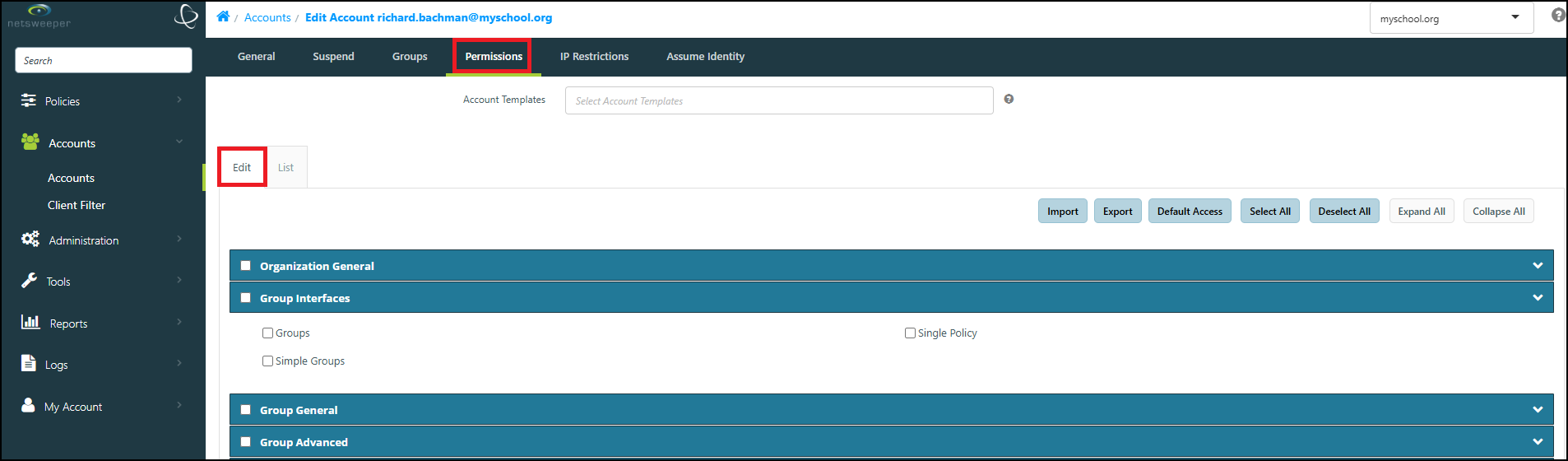
- Select the check boxes for Permissions you wish to grant to the Account and clear any check boxes for Permissions you do not want to assign.
- If you have created 'Account Templates', you can also select one or more Account Template from the 'Account Templates' dropdown list.
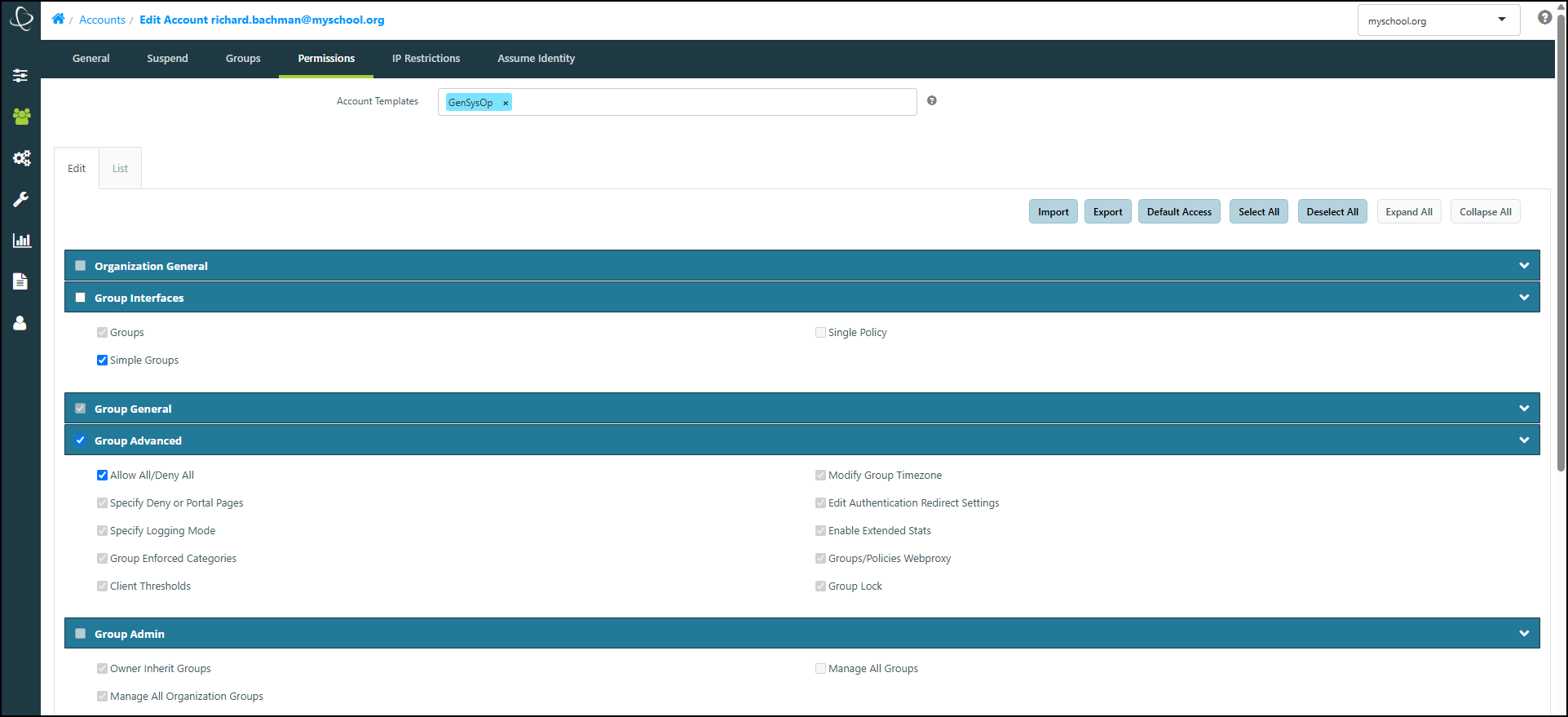
- When you are done, select the Submit button to apply your changes.