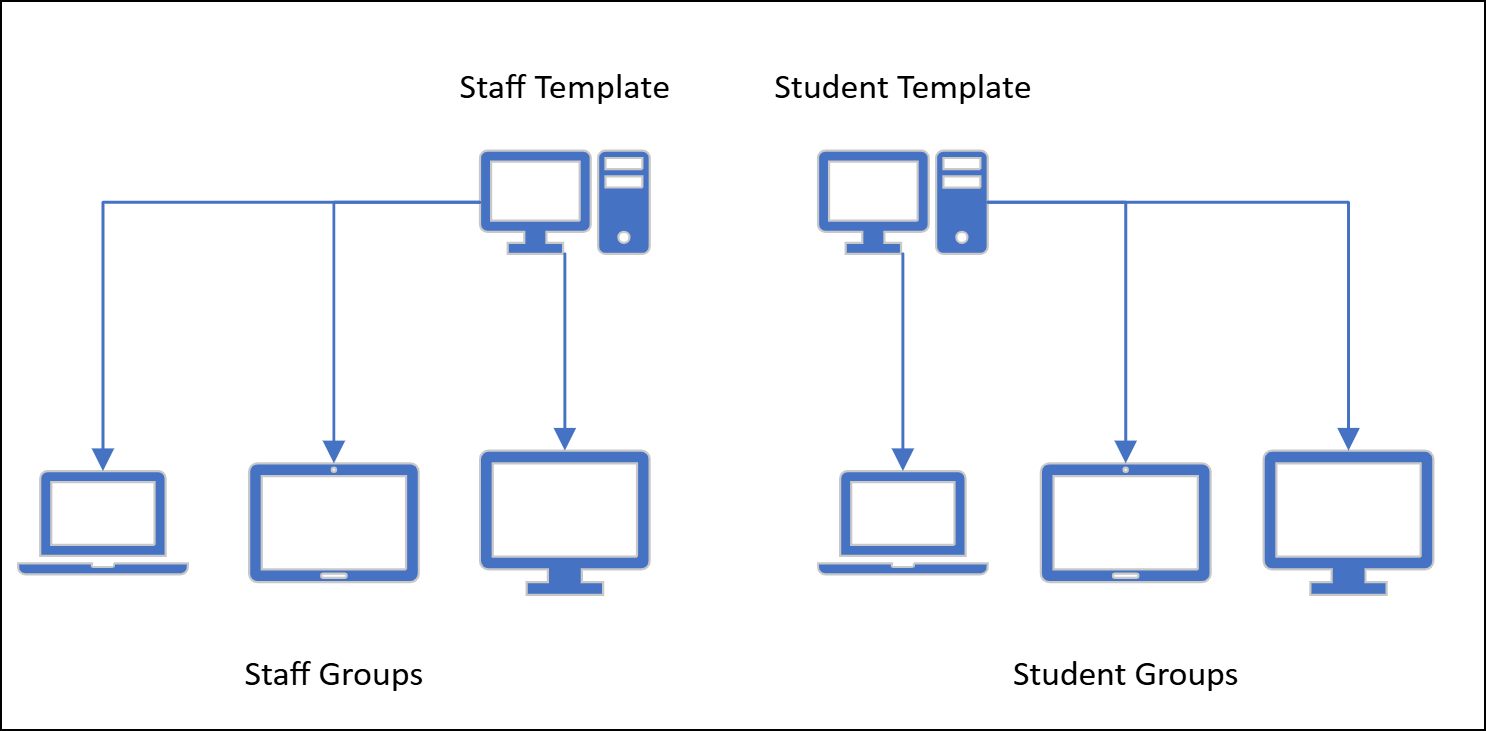
Template-driven Group and Policy management allows you to standardize Group settings using WebAdmin, Policy and Category Templates.
A WebAdmin Template contains the Policy Templates with their Categories, URL List entries and other settings. A WebAdmin Template also specifies Policy Events, a Group Deny Page, Logging Mode, Client Thresholds, Group Language, Timezones, Enforced Categories and IP Range Restrictions (when ‘Enabled Group Restrictions’ is applied). If a WebAdmin Template is enabled as a ‘Profile Template’, it can be used by the ‘Profile Manager’.
This allows you to configure a Group or set of Groups as desired and then designate them as Group Templates that can simply be applied to any Groups. This streamlines Group management and ensures a consistent set of rules and settings for your Group's Clients.
 Designating a Group as a Template
Designating a Group as a Template
Any Group can be designated as a Template Group. Please note that only Admin Accounts with the necessary Permissions can designate a Group as a Template Group.
-
Navigate to Policies > Groups > List and choose the desired Group.
-
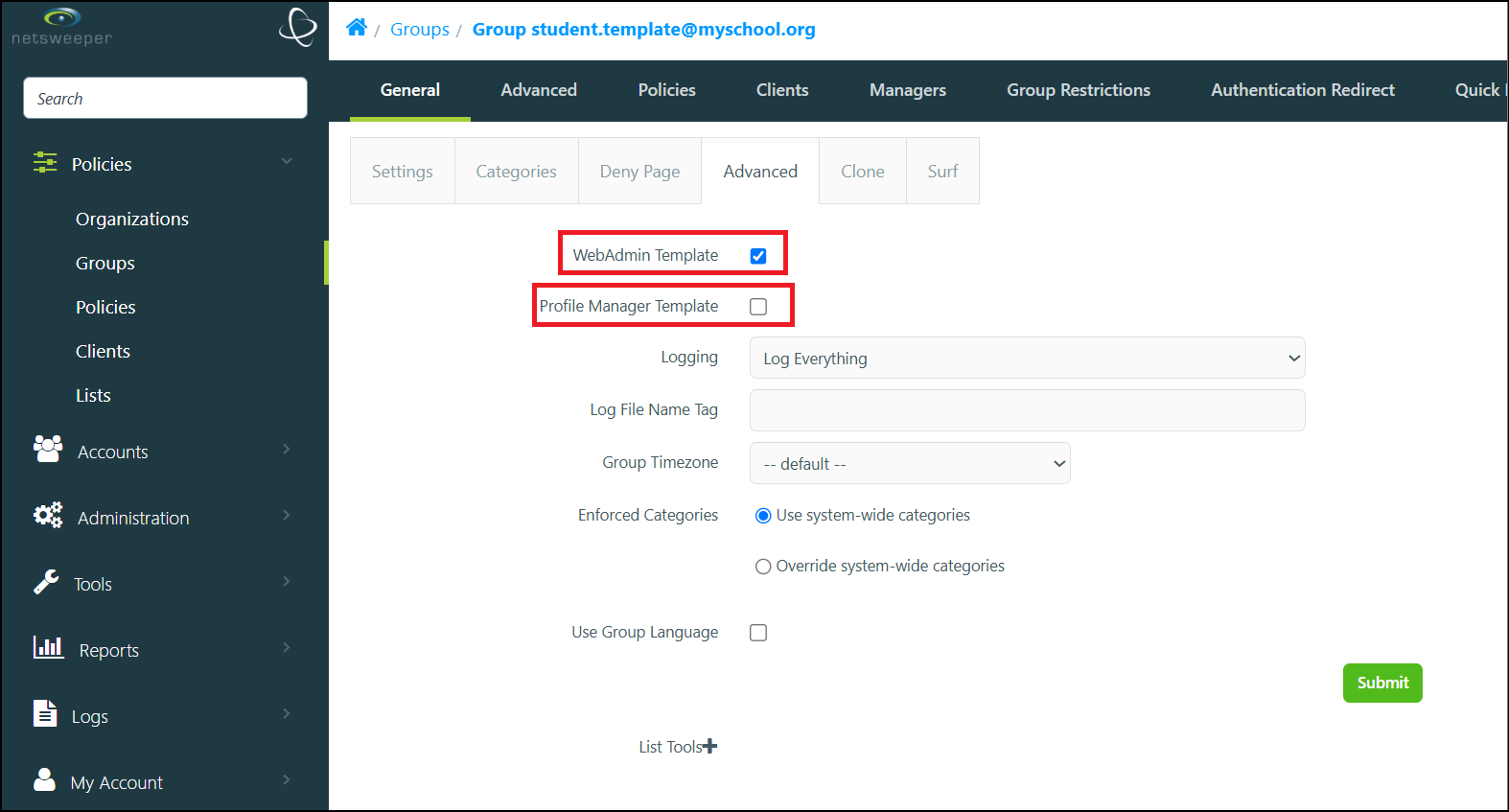
In the Group's General > Advanced tab, set the WebAdmin Template or Profile Manager Template options.
-
Select the Submit button to apply the designation.
-
The Group will then appear in the WebAdmin Templates lists.
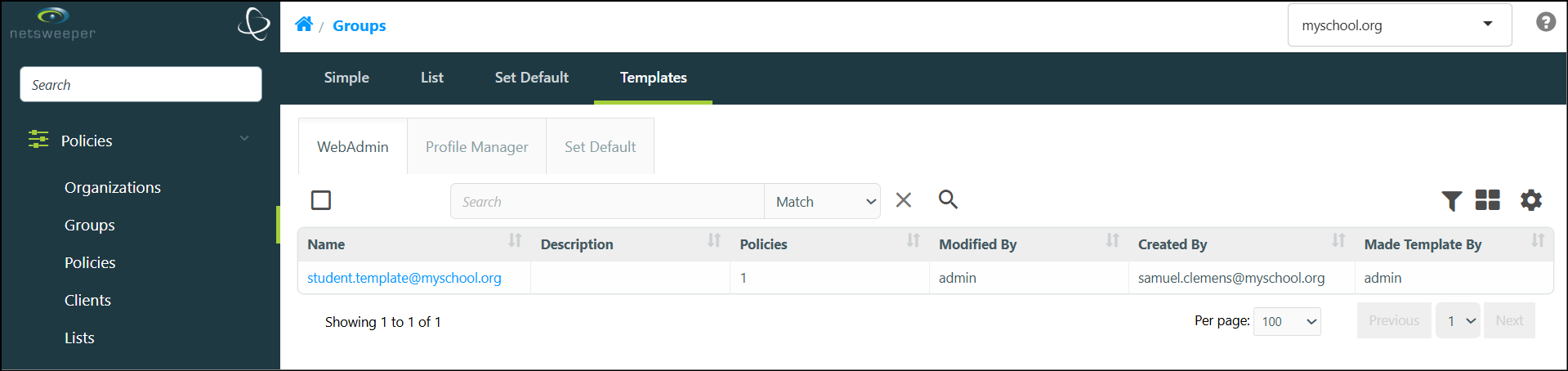
Deleting a WebAdmin Template will not delete the Group, it will only remove the Template designation. It is important to note that there must be at least two Group Templates in a deployment before they can be assigned to Groups.
Assigning Templates to Groups
Assigning Templates to Groups
If there are WebAdmin Templates, a 'Templates' section displays that allows you to choose from a group of Templates. As noted in the WebAdmin Templates information, there must always be at least two Templates designated to enable the Template selection.
Although an Admin Account is required to designate Groups as Template Groups, Sysops can assign a Template to a Group they can manage.
-
Navigate to Policies > Groups > List and choose the desired Group.
-
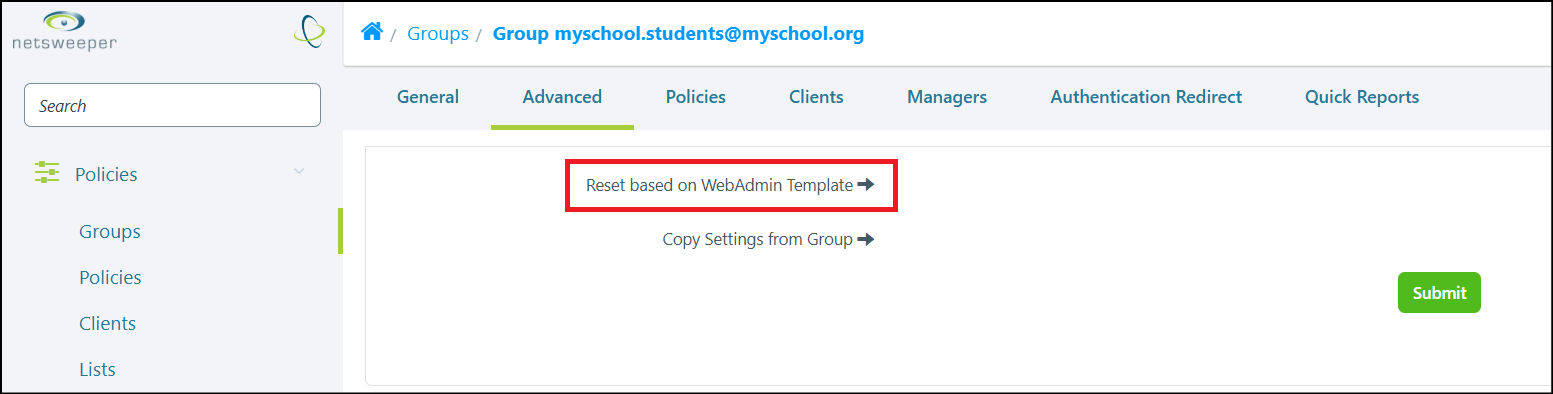
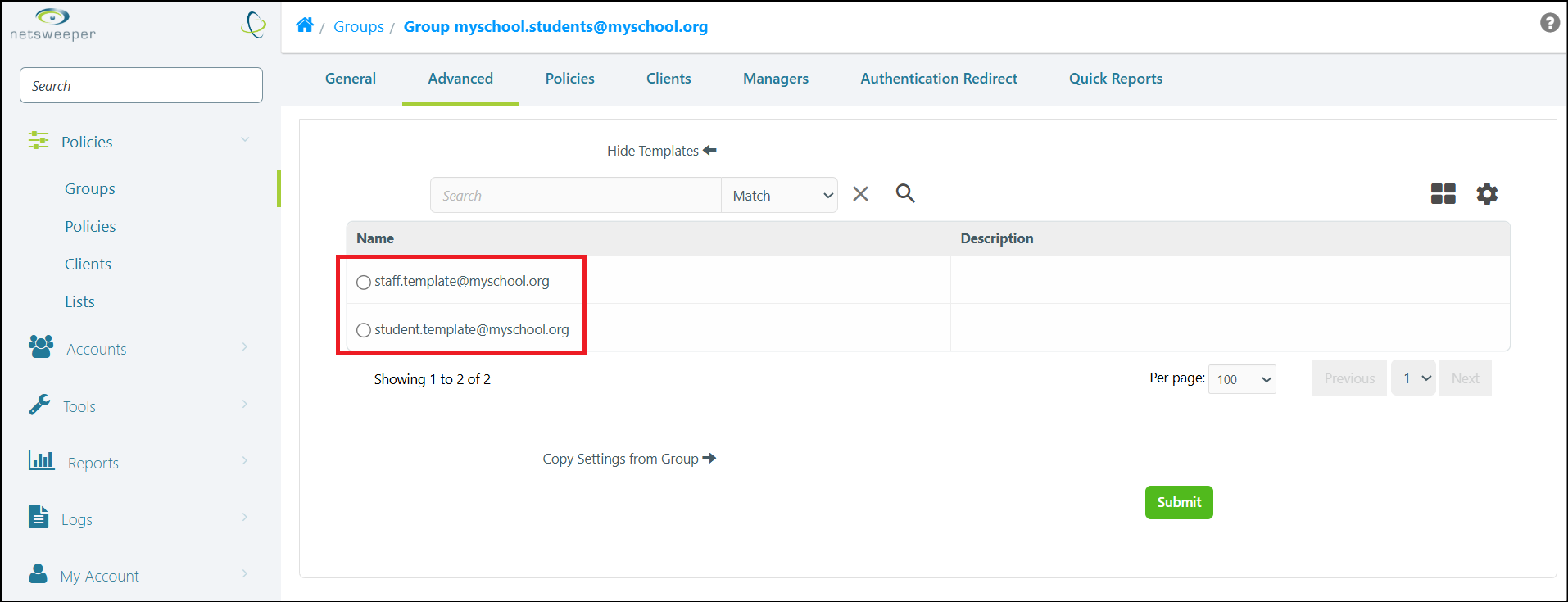
In the Group's Advanced tab, select the Reset Based on WebAdmin Template text to expand the selection.
-
Choose the desired Template from the available selections.
-
Select the Submit button to apply the Template to the Group.
Setting the Default WebAdmin Template Group
Setting the Default WebAdmin Template Group
You can set the default Group that is used as a Template for new Groups when no specific Template is applied. The default Group has this assignment in a standard deployment.
To set the Default WebAdmin Template Group:
-
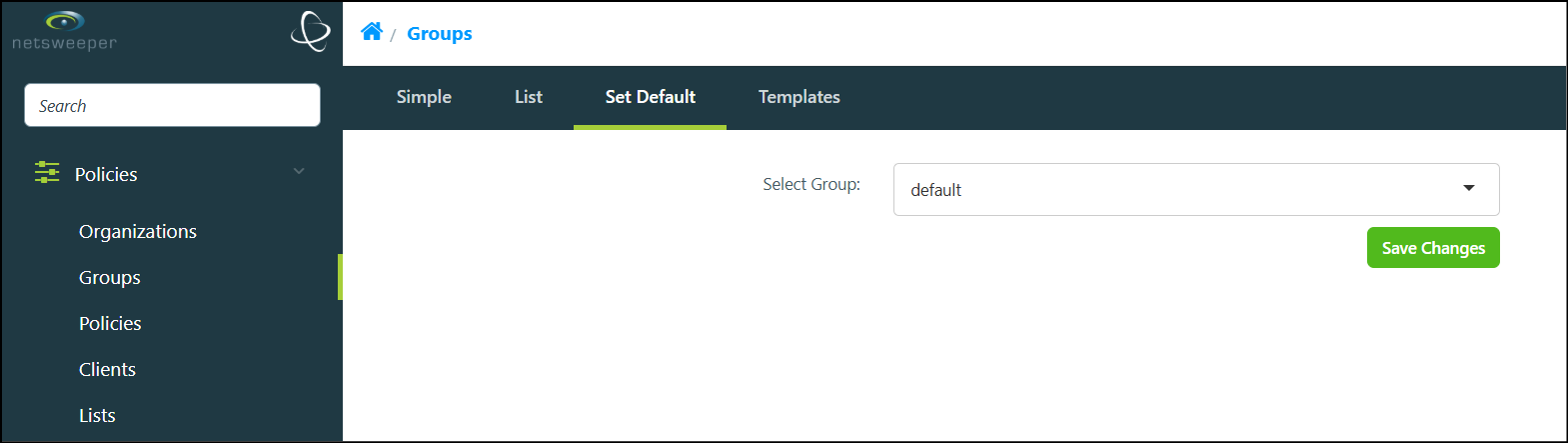
Navigate to Policies > Groups > Set Default.
-
Choose the desired Group from the Select Group dropdown list.
-
Select the Save Changes button to set the selected Group as the default.