List Search Overview
The Lists Search tab is found in the Policies > Lists window.
The List Search tab displays a list of existing URLs and Keywords under the Local Lists and Shared Lists tab. In some cases, identical entries can be added to multiple Local or Shared Lists. These entries can cause unexpected outcomes by blocking or allowing content. The List Search tool can find these similar entries and display their location. Once these list entries are found, they can be edited, deleted, copied, moved to an existing list, or moved to a new list.
Read: List Search
It should be noted that Local Lists are displayed for Groups that a SysOp is assigned to and Shared Lists will only be available if those SysOps have URL/Keyword List Manager permission and permission for that List.
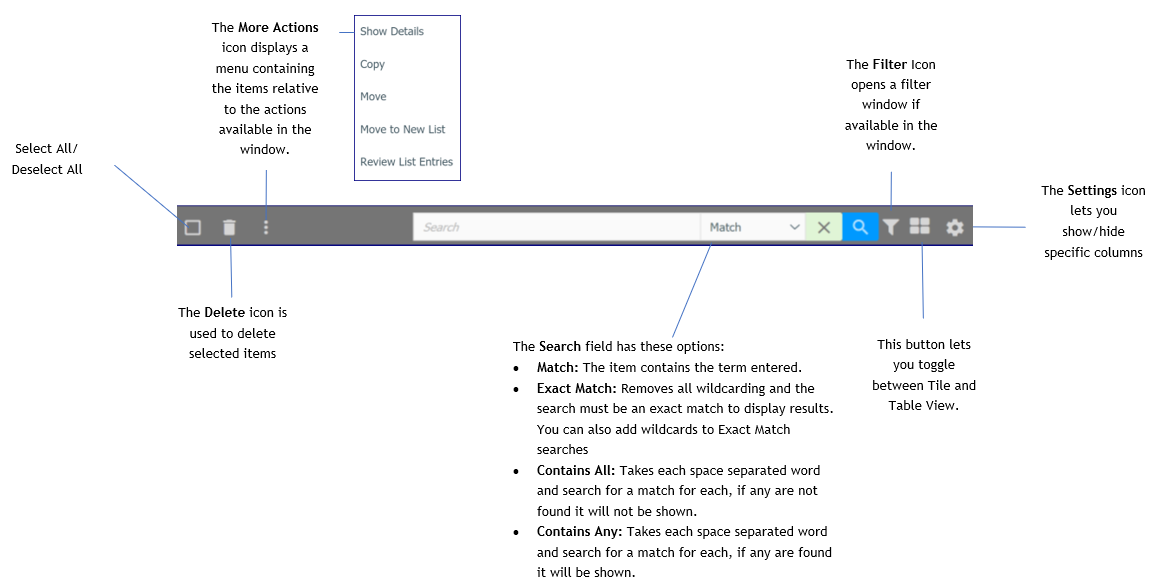
The Header bar displays these items.
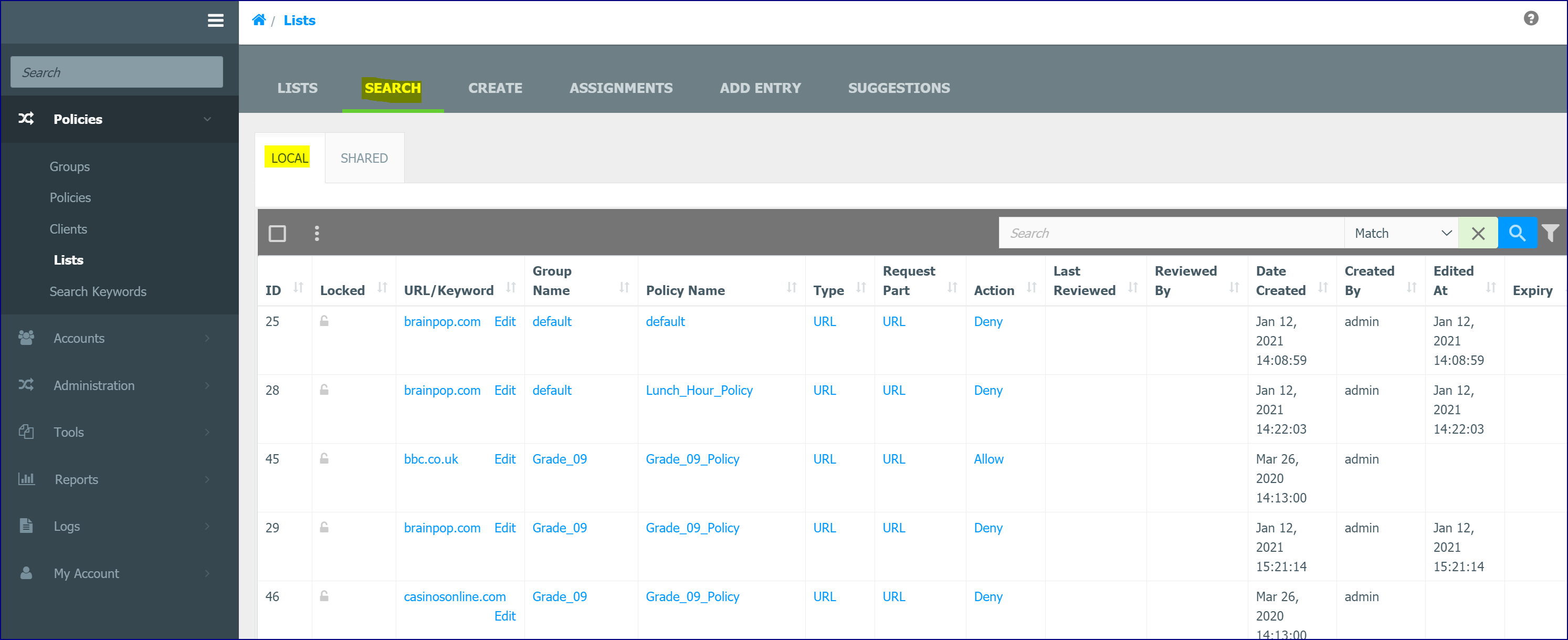
Search Local List Tab
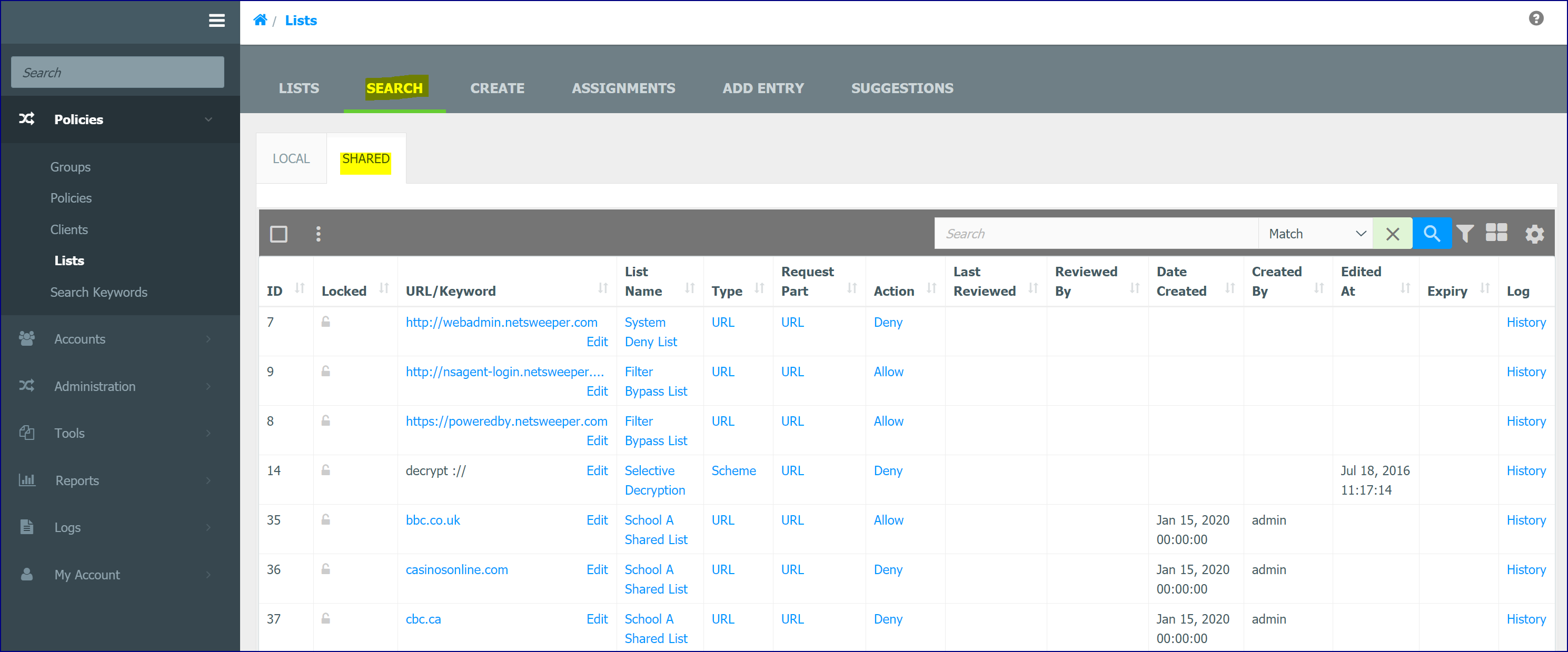
The Local tab in the Search tab displays all the URLs and Keywords. You can view the assigned Group and Policy Name as well. In each tab, you can search the list entries for specific entries.
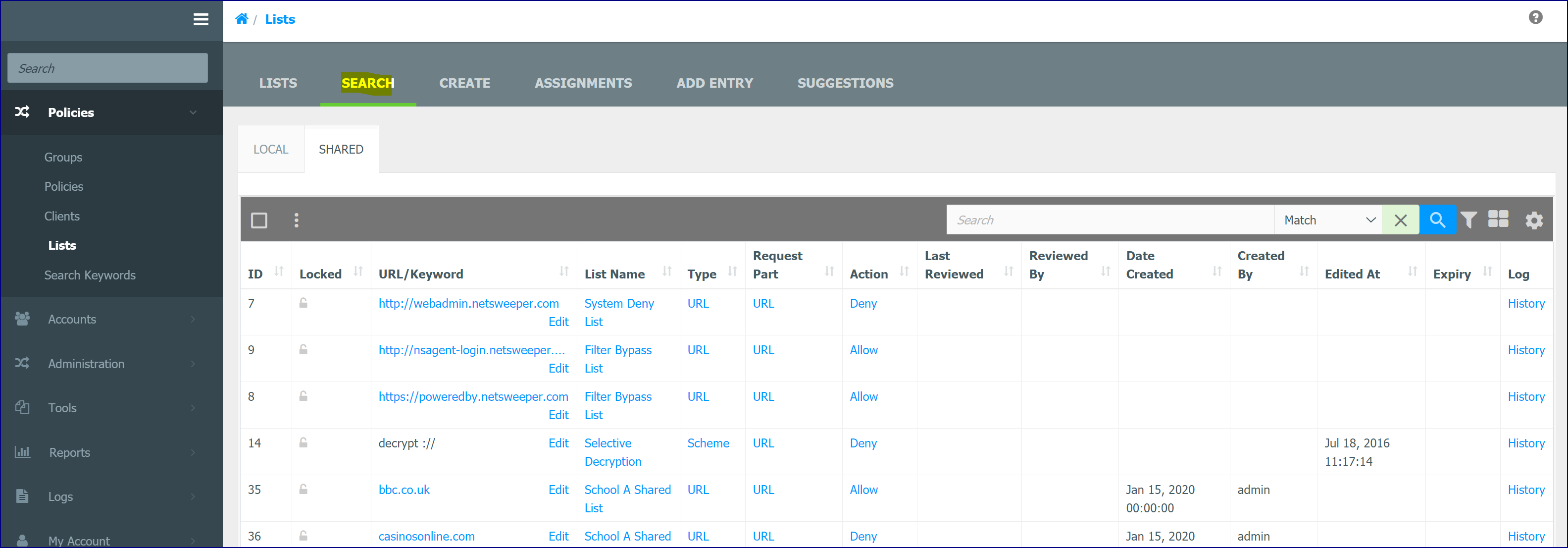
Search Shared List Tab
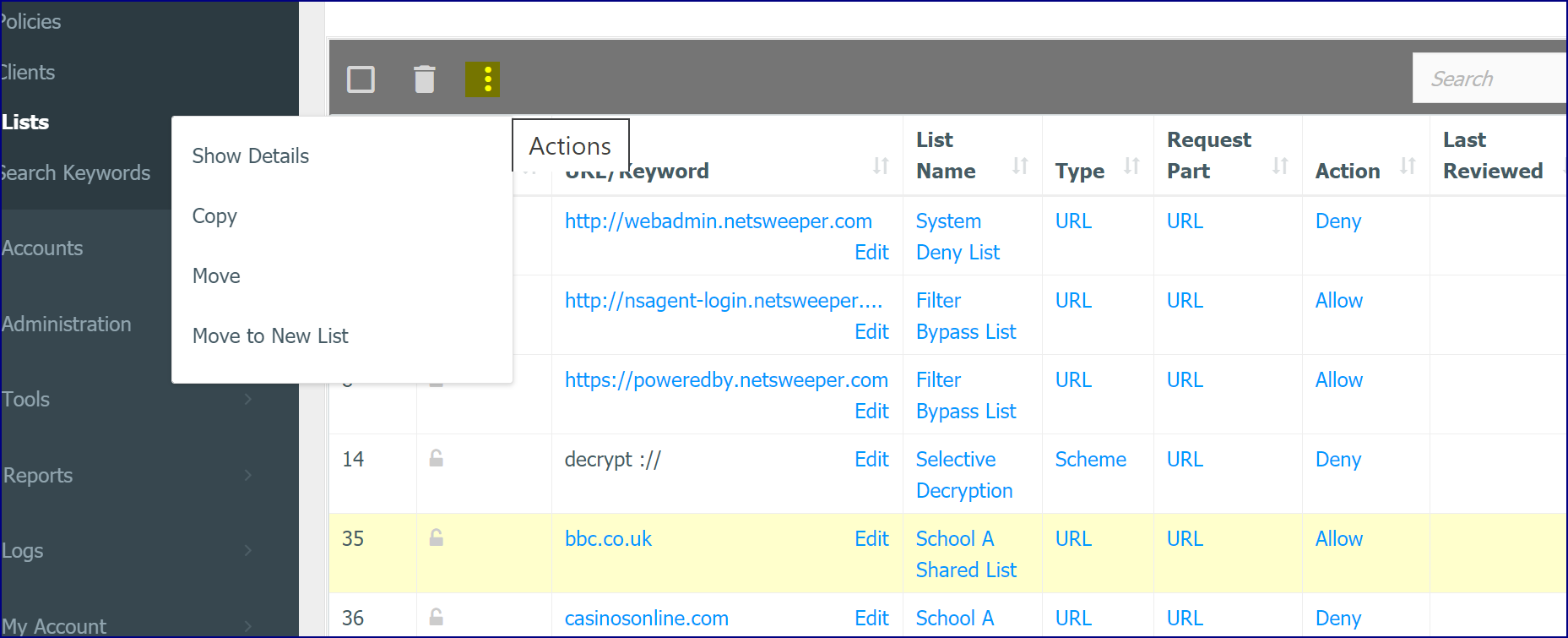
The Shared tab in the Search tab displays a list of Shared Lists with their URLs and Keywords. When a list entry is selected a set of buttons becomes available. The Delete and Copy buttons delete and copy the selected URLs or Keywords. The Move button moves the List Entry to an existing Shared list.
The Move to New List option found under the More Actions icon lets you create a new List and add the selected items to that Shared List.
List Search Example
Trace Requests and List Search Example
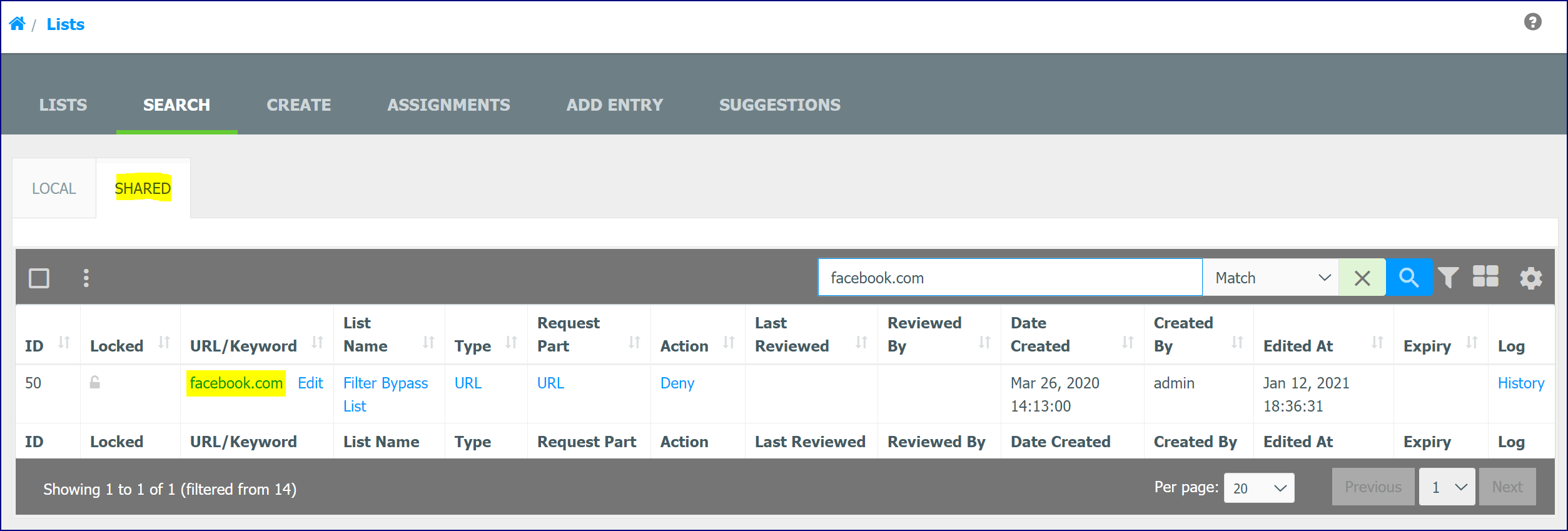
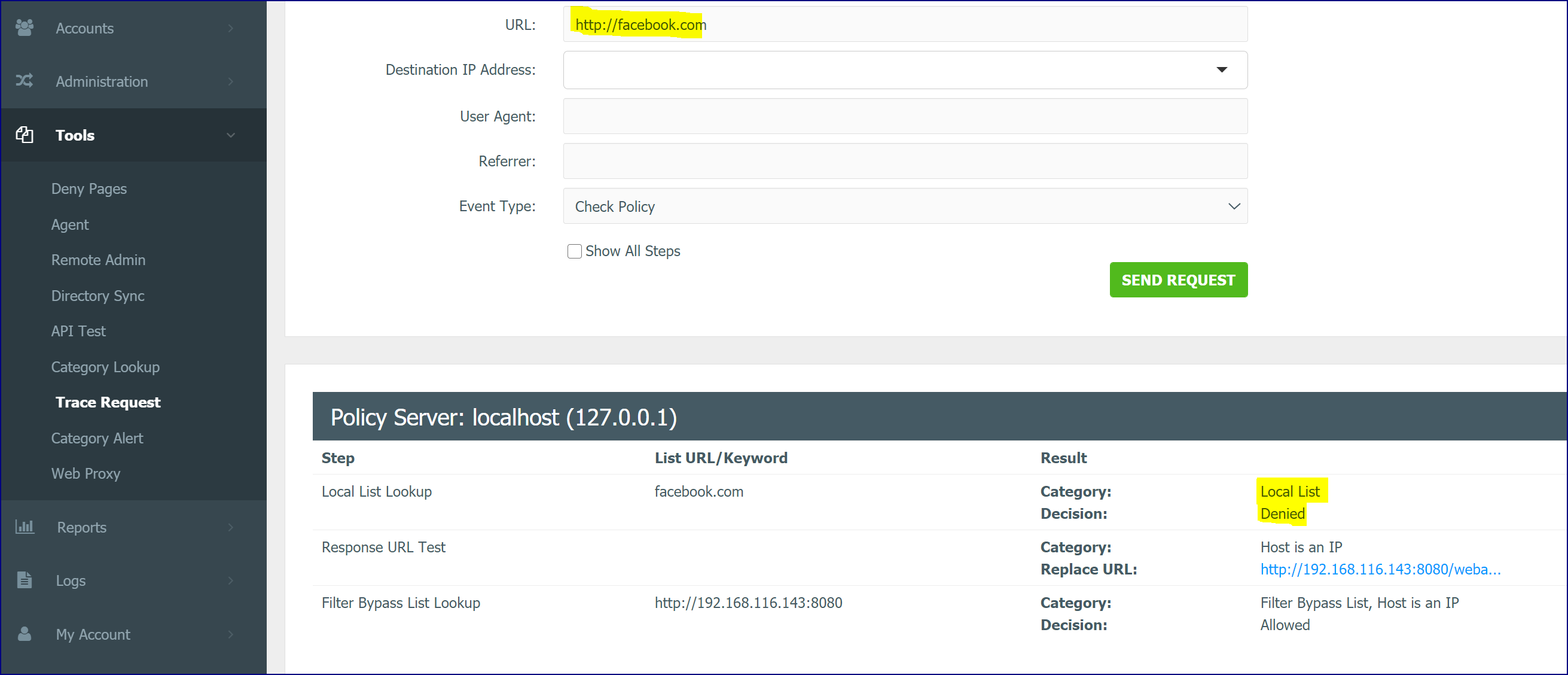
- List Search can be used with the Trace Request tool for troubleshooting. In this example, the Trace Request Tool shows that facebook.com is being denied by a Local List. The school wants to add these facebook.com entries to the Shared List.
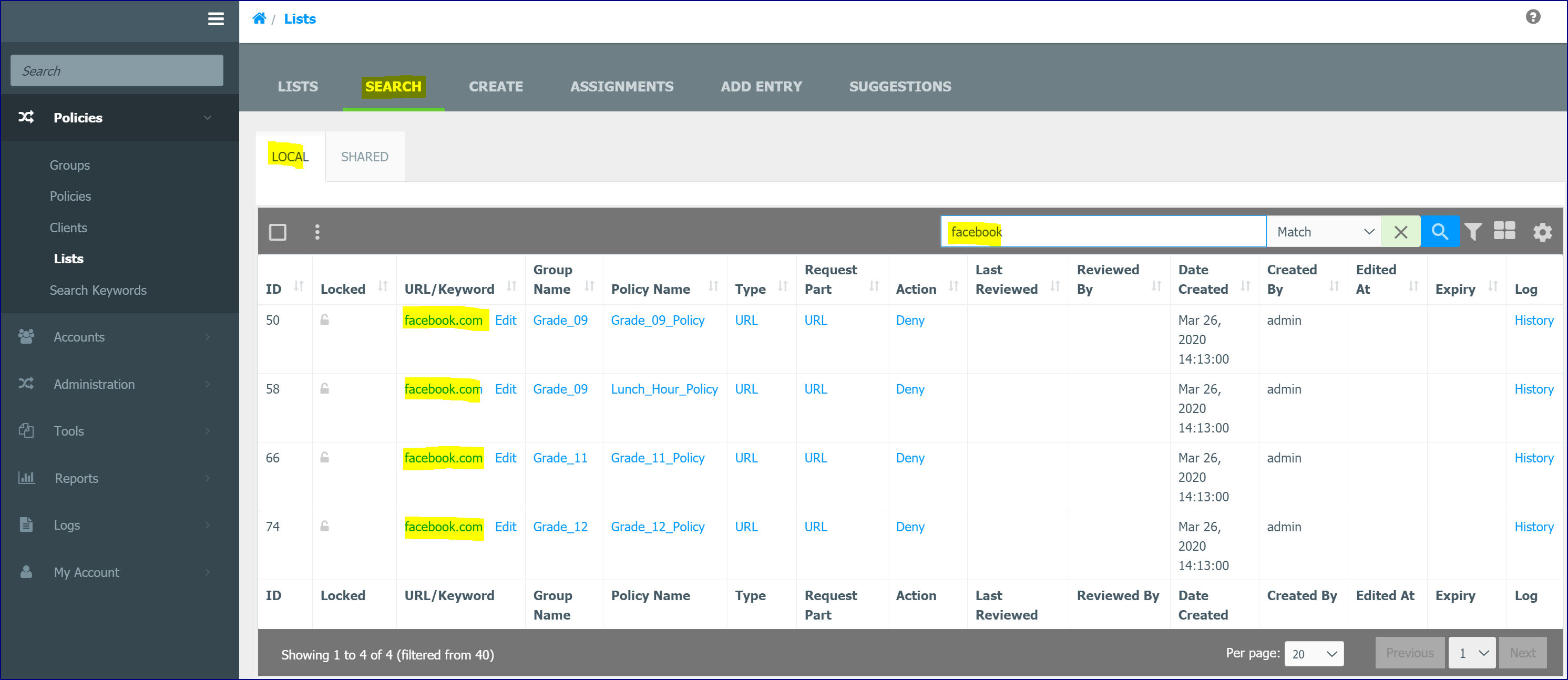
- Searching for facebook.com in the List Search tab shows that it is a denied URL in all the Grades.
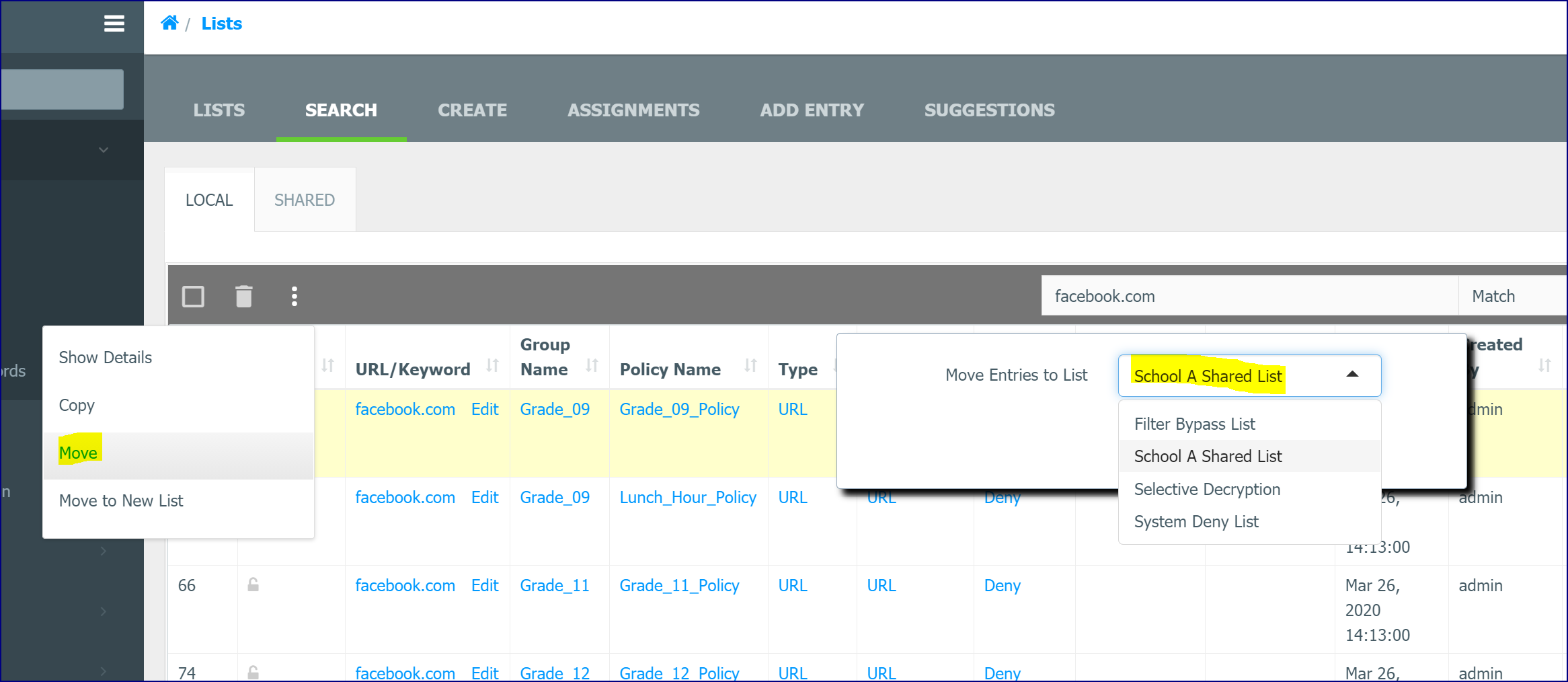
- Select one of the Local List facebook.com entries and select the Move option from the Actions icon. Select your Shared List from the dropdown and click Save.
- Delete the rest of the entries for pbs.org in the List Search Local window.
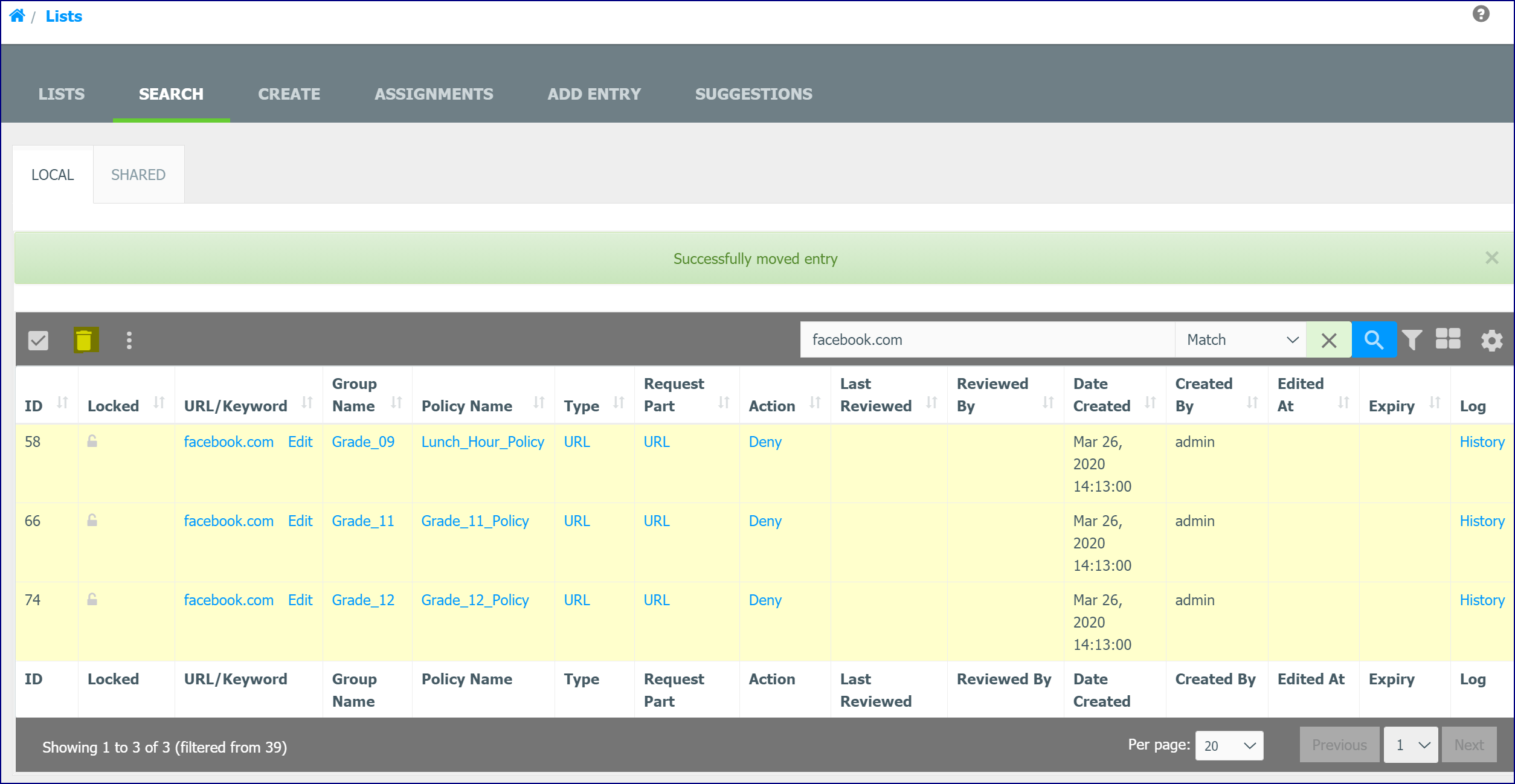
- Facebook.com is now denied by the Shared List.