Accounts
Accounts Overview
An Account is a user with designated privileges that manages filtered clients in their group. Usually this person has some authority over the other users such as a teacher over a class of students, a manager over a group of workers, or a parent over a family. There are a variety of accounts available for delegating filtering administration.
Delegated Administration Overview
This document looks at how to prepare your system to be administered by a hierarchical management team.
The Master Admin is often an IT team member who may be closely involved in managing hardware and software issues, but not involved in managing filtering policies. In many cases, particularly those governing more than a dozen or so users, this technical person will delegate policy management to others, using one of the three account classes
These are:
· General Admins, who have permission-based access to manage the system.
· SysOps (System Operators), who have specific permissions to manage filtering for assigned groups
· Users who are members of a filtered group or accounts and may be assigned permission to manage some aspects of filtering for their group or accounts. This could be a teacher of a group of students. A user account can be assigned to a customer that belongs to a single group (large or small) with a single Deny List Policy. Users can add URLs to the local Allow and Deny Lists and can access activated Quick Reports through the WebAdmin.
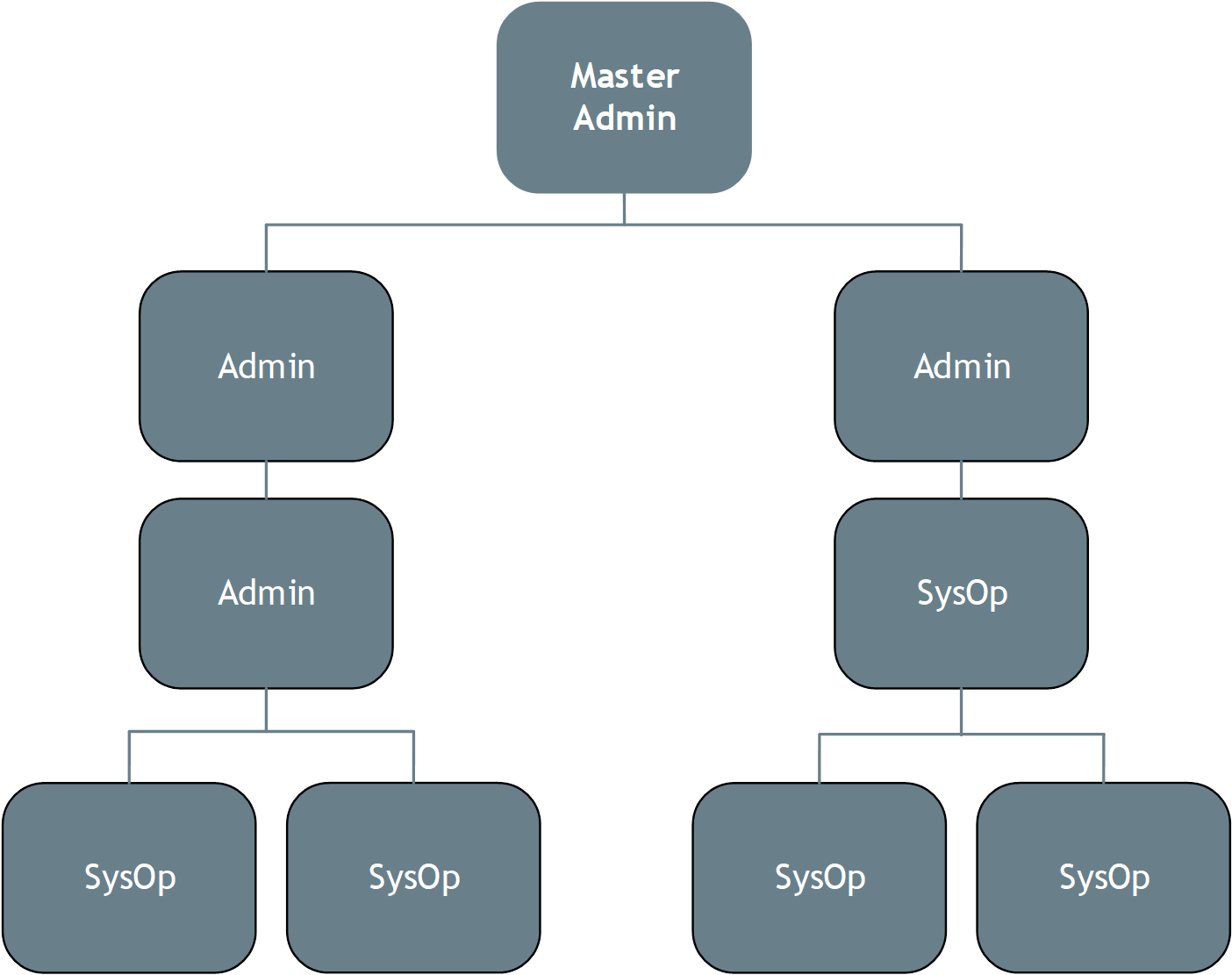
Account Types
Master Admin Account
The Master Admin account (there can only be one master Admin) is a special permanent account designed for the head Netsweeper Server administrator. Typically, this is the person in charge of maintaining the server and managing the accounts of other administrators. This account has access to all administrative functions.
The Master Admin can delegate management of Groups, Policies, Clients, Accounts, Categories, Administration Settings, Tools, Directory Synchronization Reports, Lists, and some settings and logs to General Administrators and SysOps. General administrators and/or SysOps can also assign a user account to a customer that belongs to a single group (large or small) with a single Deny List Policy.
When creating an Account, there are three possible Classifications: Admin, SysOp, and User. A Master Admin and a General Admin can create all three.
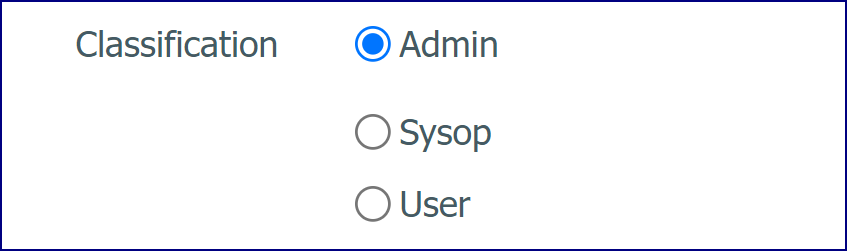
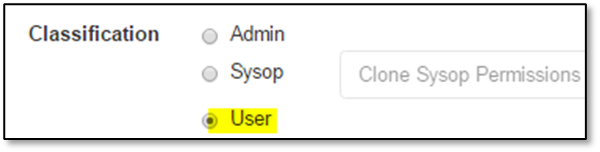
A SysOp can create another SysOp or User if granted Account Management permissions. A User cannot create another Account.
General Admin Accounts
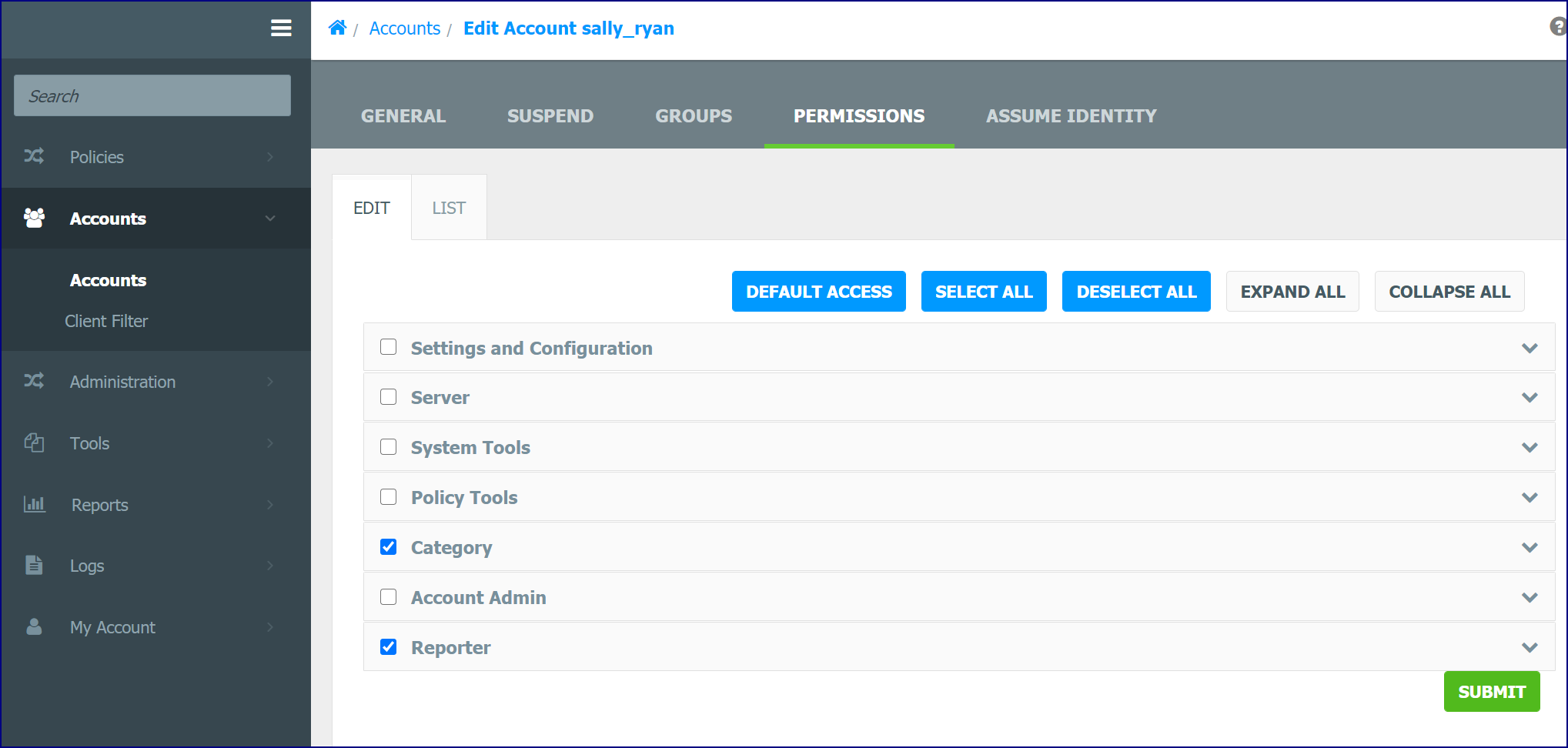
Admin Accounts are for regular administrators who manage one or more groups of users. These Accounts can be permissioned to manage all the WebAdmin features and configuration settings.
SysOp Accounts
The level of access that SysOps Accounts possess depends on the individual SysOps permission settings. SysOps can only report on Groups and Clients assigned to their account.
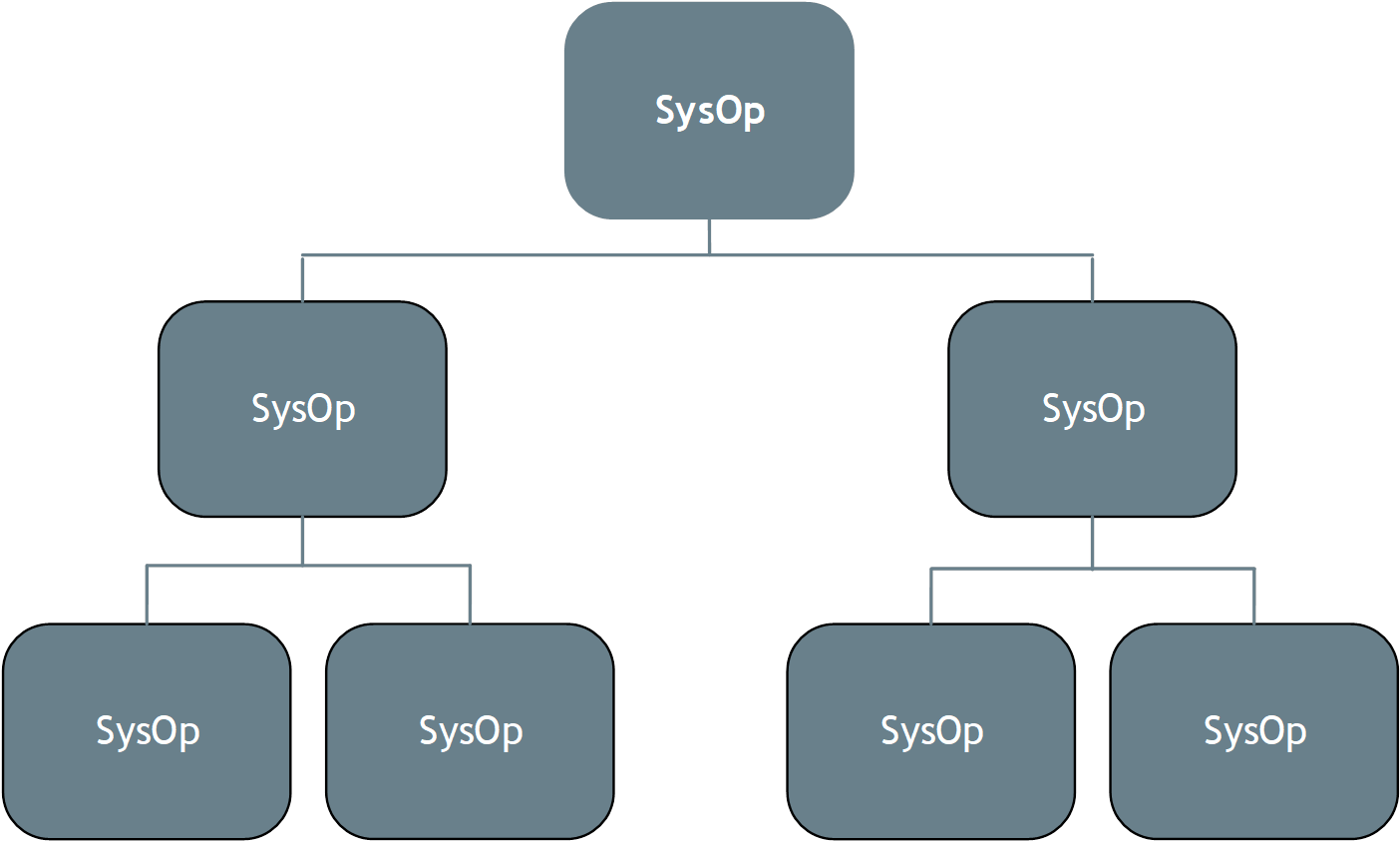
Hierarchy of SysOp Permissions
SysOps can create other SysOp Accounts and those SysOp Account can also create SysOp Accounts. SysOp permissions can only be modified up to the level of its parent’s permissions.
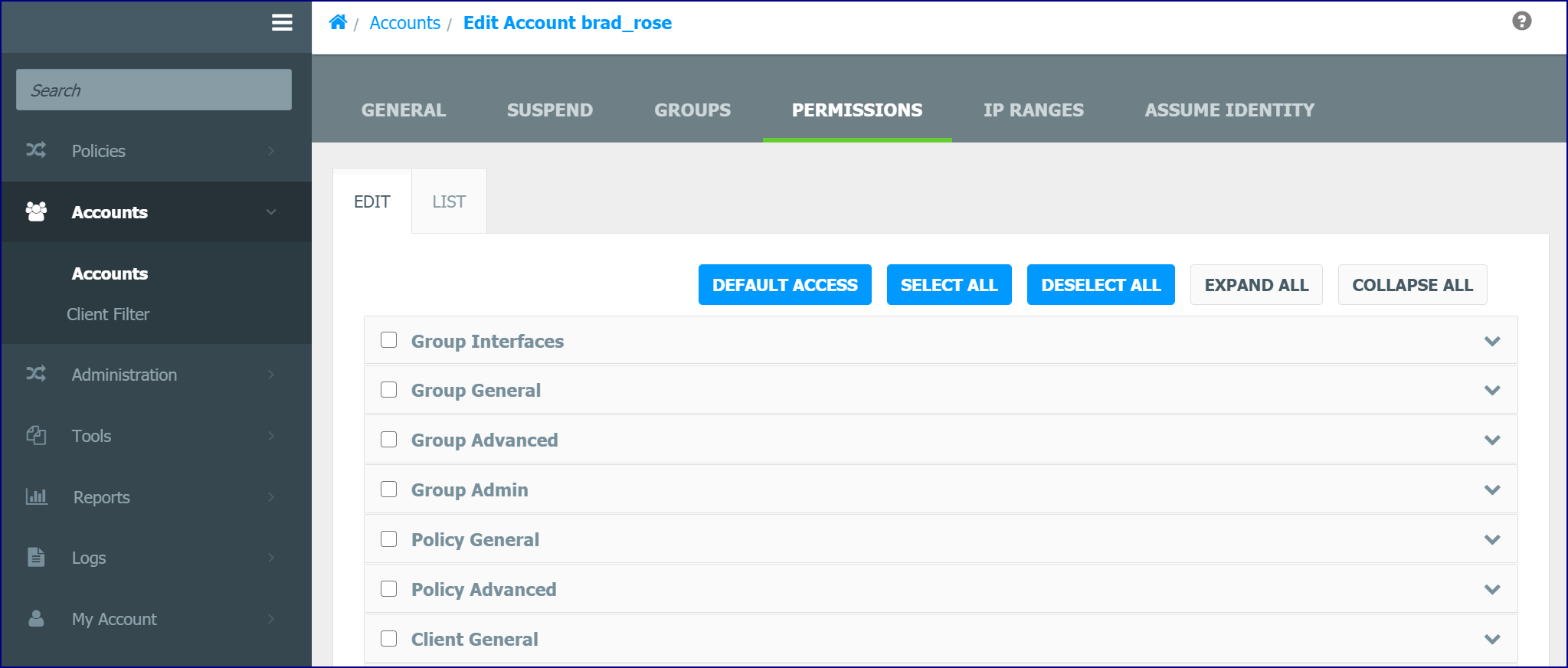
With the required permissions, SysOps can grant permissions to SysOps they have created. Permissions, not granted to a SysOp, are hidden from their view.
Applying an Account Template to an Account
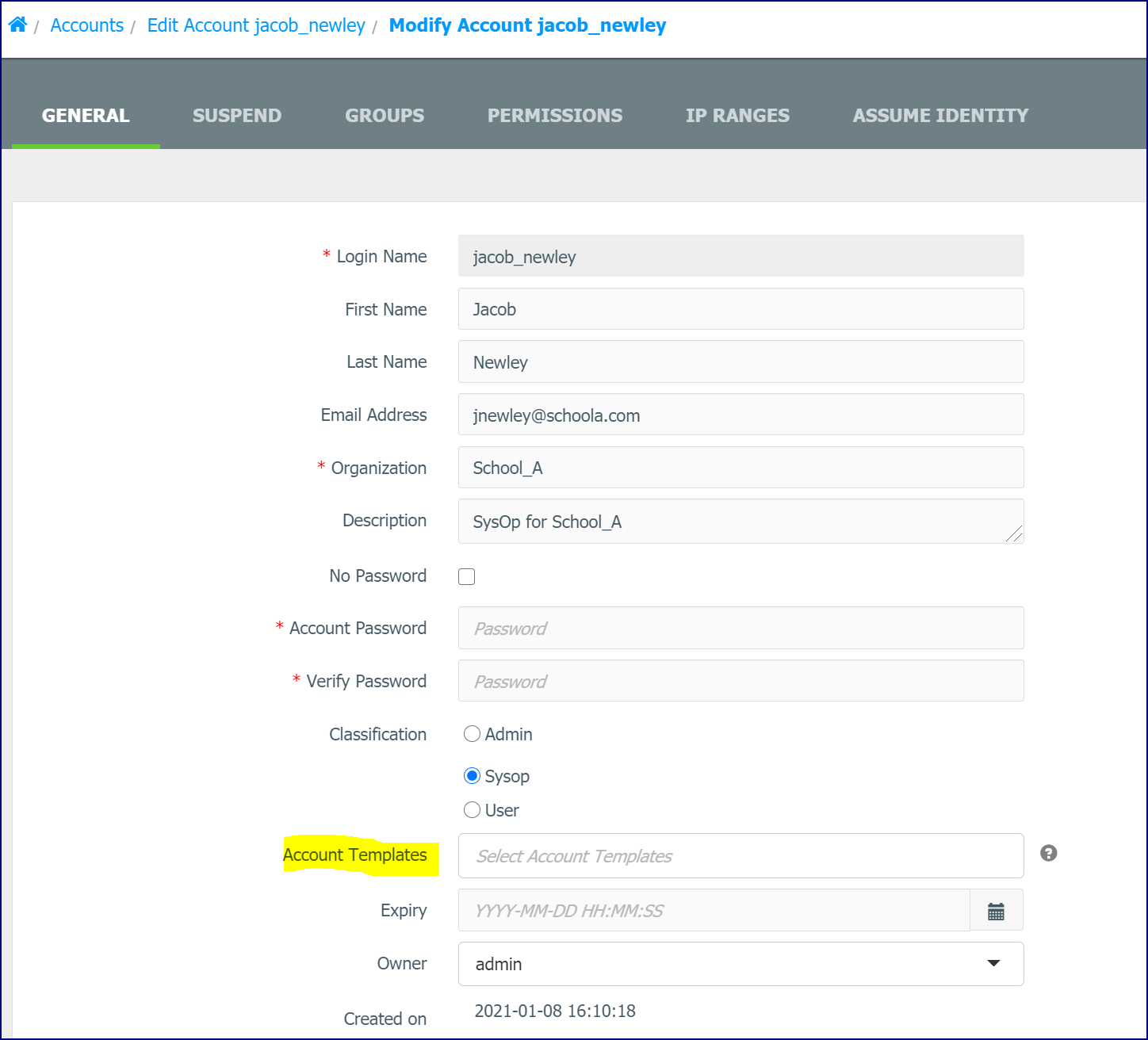
Account Templates can be assigned to SysOp and Admin Accounts when creating or editing the Account. You can add one or more Templates and they can be assigned in priority order. The top Template in the list will take precedent over the ones further down the list.
User Accounts
User accounts are not intended for administration and reporting in the WebAdmin. They must be linked to a specific group to access quick reports for that group only. User accounts cannot access any other groups or clients other than themselves and cannot create Custom Reports.
In most Netsweeper deployments, user accounts are not used to access the WebAdmin or the Reporter directly.
For more information, please see the document User Guide – Managing Filtering with a WebAdmin User Account.
There are two types of user accounts:
· One uses a special WebAdmin interface to manage the local URL Allow and Deny lists of one group with one Deny List policy.
· The other type uses the Profile Manager interface to manage local filtering for a small group of filtering profiles.
· Each profile may be used either by an individual or a group of similar individuals.
Whether you are using the WebAdmin interface, or the Profile Manager interface, will depend on your deployment and filtering architecture.
The Client Filter is deployed differently, depending on whether filtering will be managed solely by the WebAdmin or by the Profile Manager. See the Client Filter documentation for more information.
User Restrictions
Permissions: User who uses the WebAdmin
A user is typically assigned to only one group with only one Deny List policy.
|
Permission Set |
A user that manages one group with oneDeny Listpolicy with the WebAdmin |
|
Policies |
Cannot access the Policy tools. |
|
Accounts |
Cannot access the Accounts tools. |
|
Categories |
Can manage the local CategoryDeny Listand URL/Keyword Allow and Deny lists for his or her own group |
|
Administration |
Cannot access any Administration Tools. |
|
Monitoring |
Cannot access any Monitoring tools. |
|
Reports |
Can only access activated Quick Reports if the User has been assigned to Manage a Group. |
|
Logs |
Cannot access any logs. |
|
Category Alerts |
Can only access the Category Alert tool, which is on a menu called Filtering Options on the user’s WebAdmin interface |
|
Your Account |
Can only change the account password and interface language |
Permissions: User who uses the Profile Manager
|
Permission Set |
A user who manages one small group of profiles |
|
Policies |
Sets local policy by creating filtering profiles for members of the small group |
|
Accounts |
Not applicable |
|
Categories |
Manages the Category list and URL/Keyword Allow and Deny lists for his or her profiles |
|
Administration |
Not applicable |
|
Monitoring |
Not applicable |
|
Reports |
Can access activated Quick Reports |
|
Logs |
Cannot access any logs |
|
Category Alerts |
Can access the Category Alert tool |
|
Your Account |
Can change all profile passwords and the account password |
|
Dashboard |
Not applicable |
Create Account Group Policy
User Accounts must be linked to a specific group to access Quick Reports for that Group only. When creating a User or SysOp Account, you should always choose ‘Create account group policy’ if you want these options.
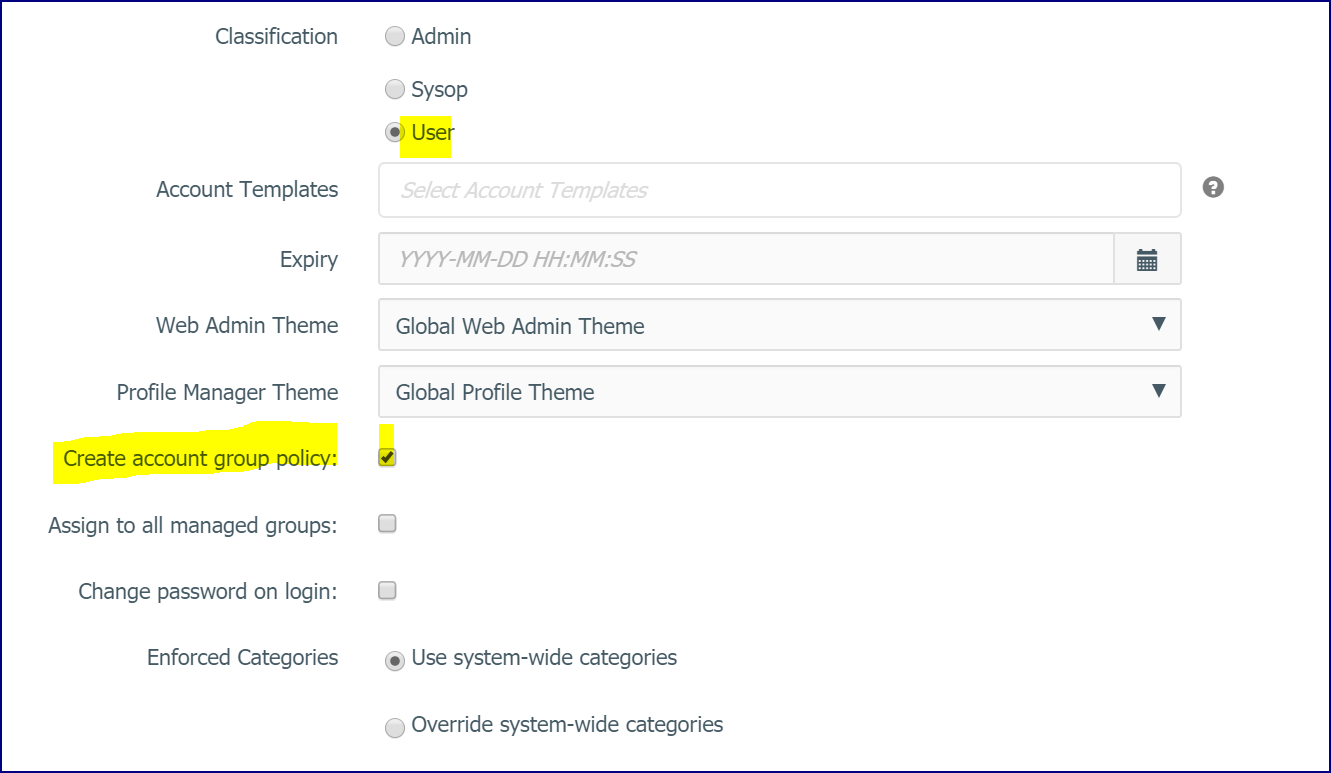
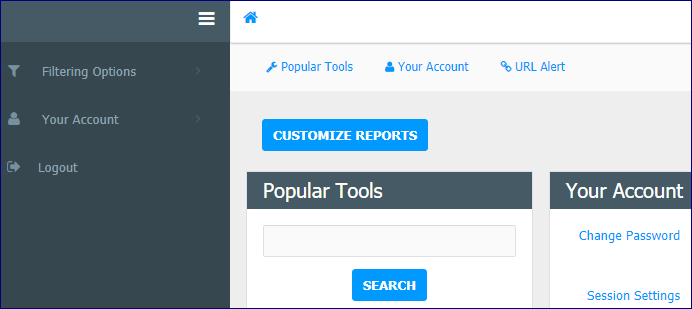
If this is not selected only the Filtering Options and Your Account Options will display when the User logs in.
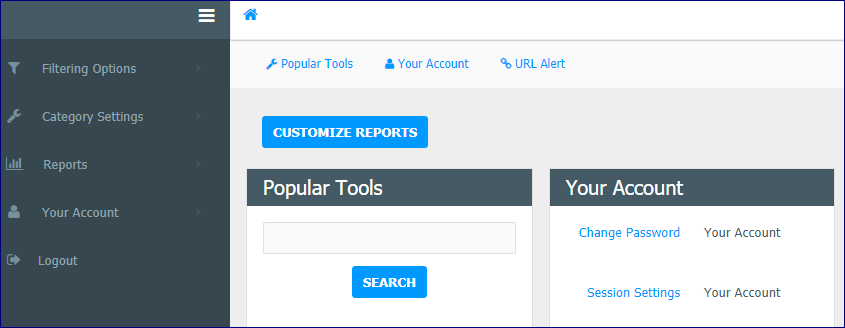
If this option is selected, Category Settings and Reports menu options will also be available.
Change Password on Login
If the 'Change password on login' is checked, regardless of password enforcement settings, the user must change their password before accessing the WebAdmin.
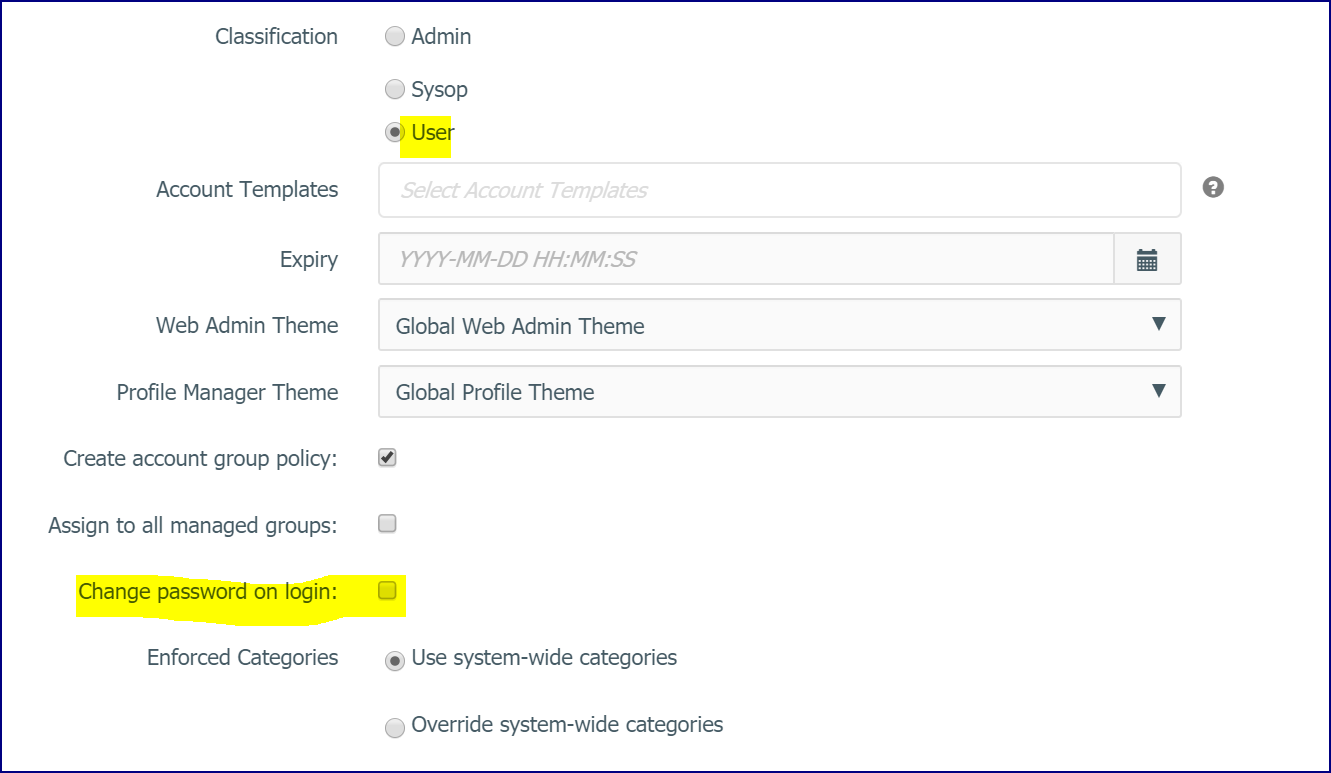
When the user logs in, the menu is not displayed until the password has been changed.