Netsweeper 7.2 Documentation
About Netsweeper in a Single Server Environment
This document provides an overview of how to install the Netsweeper ISO and configure it for a single-server setup using mostly default settings. The Netsweeper product is very versatile, and you can configure it in many ways for networks that range from very simple to very complex. One document cannot describe all the configuration, implementation, and deployment options.
This document provides an overview of how to install the ISO and configure a simple Ethernet bridge on a two NIC-server or a simple one-NIC server that uses Client Filters. Please refer to our other documentation for more complex installations, including multiple-server setups.
Read More: Installing Netsweeper in a Single Server Environment
Deny Page Overview
The WebAdmin supports the creation of custom Deny pages that Netsweeper will serve when a website falls into a specific filtering Category. You can include text and images specific to that filtering Category and even redirect recipients to another URL for reference – such as a page containing the organization’s Internet Use Policy. Or, for example, a Deny page for a gambling site might redirect the user to a website for dealing with gambling addictions.
Read: Deny Pages and Creating a Deny Page
What is a Filtering Policy?
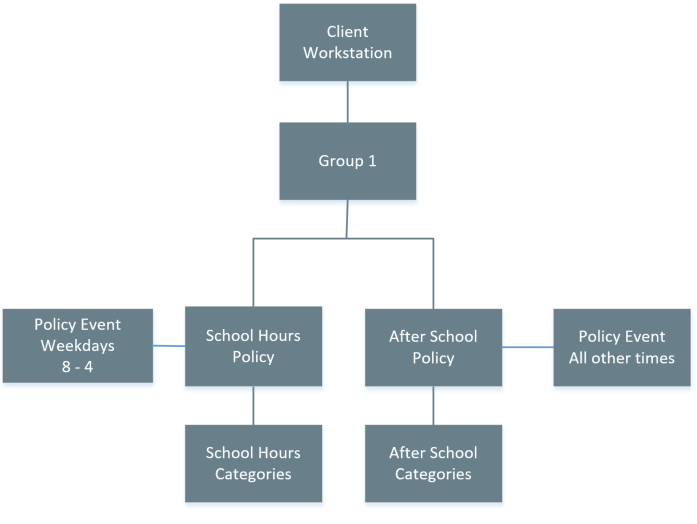
A filtering policy is a set of rules or settings that the Netsweeper Policy Service uses in making decisions about whether requests for Internet content should be allowed or denied. The Netsweeper solution allows you to create one or more unique policies for groups of people or workstations. Netsweeper refers to these workstations and/or persons in the Netsweeper system as ‘Clients’, and each has a corresponding client record in the system. The Netsweeper system doesn't tie client records directly to filtering policies. Instead, all client records are members of client groups (even if a group consists of only one client record) and each group owns one or more filtering policy records. The Netsweeper solution also allows you to apply different policies to a group and its client members at different times of the day or week.
One policy is designated as the default policy for a Netsweeper installation. Netsweeper applies this policy if the client or group making a request is unknown or not yet configured. Each group, when created, automatically has one policy with some default settings specified in the 'WebAdmin Settings'. That policy is named 'default,' which can be used as a template in creating new policies for the group.
Each filtering group can have either one or many Policies. If there are many, each policy applies to a different time segment.
Importing and Exporting Lists
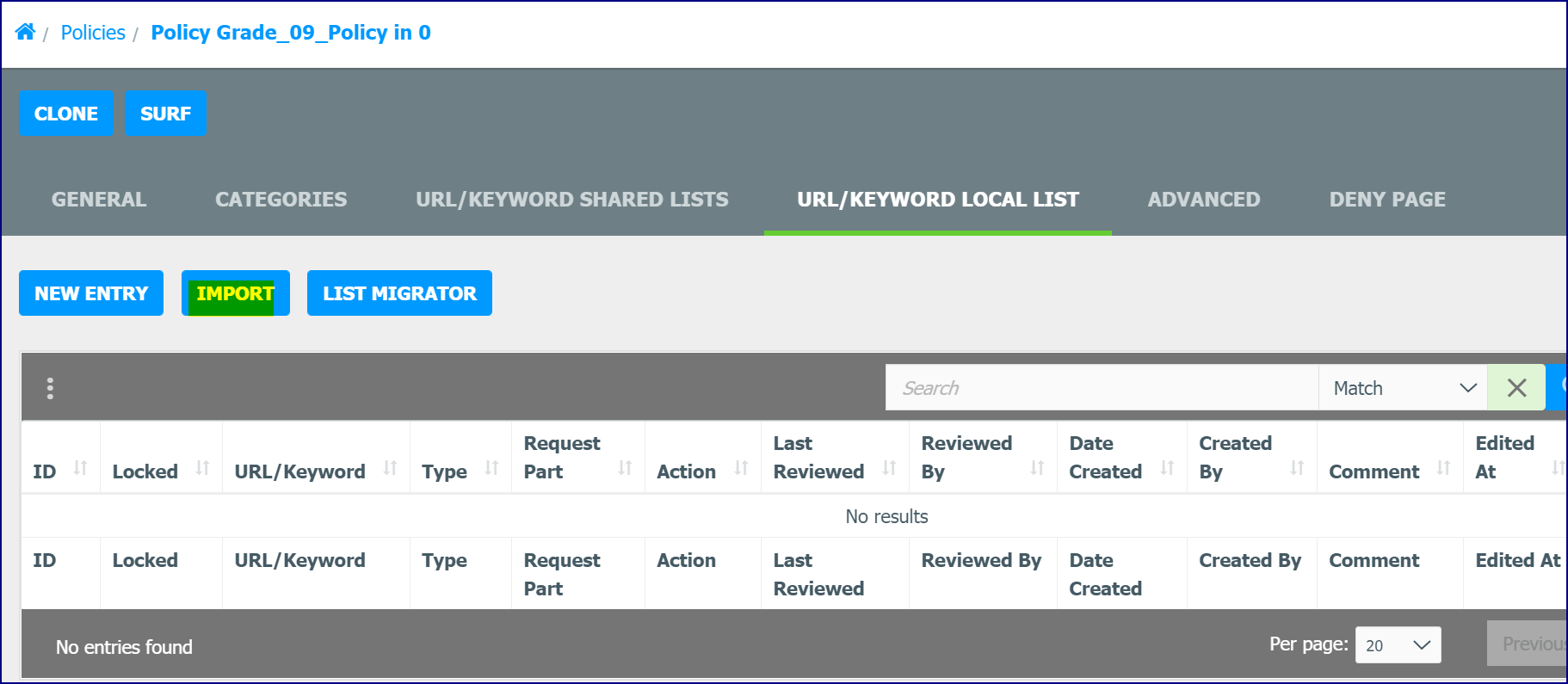
The most efficient way to add a list of URLs to your local Allow or Deny lists is to create an Excel CSV (UTF-16LE), Comma Delimited, or Tab Delimited list in Excel or a text editor and then import the list into the WebAdmin. Use the Export button to export a list to a text or csv file. You can modify this file and then import it. Create the Local URLs import file with each field comprising one column.
Read: Importing and Exporting Lists
Releases and Downloads
Netsweeper Releases and Downloads
This section contains current and past Releases and Downloads for the Netsweeper Server, Client Filter, Redirector, and Workstation Agent products.
Read: Netsweeper Releases and Downloads
Client Filter Releases and Downloads
The Netsweeper Client Filter is an application installed on individual Windows or Apple OSX workstations. It intercepts Internet traffic and communicates with a centralized Netsweeper Policy Service to make allow and deny policy decisions.
Read: Client Filter Releases and Downloads
WAgent Release Notes
The Netsweeper Workstation Agent (WAgent) utility is used to send the IP address of the workstations on your network and their LDAP user information to the Policy Server to put the user into a group. How this process works is defined by the configuration defined in the WebAdmin.
Read: WAgent Releases and Downloads
Netsweeper Overview
With millions of new web pages being posted each day, Netsweeper’s categorization engine keeps pace with the ongoing growth of the Internet. Educators, Businesses, Telcos, Service Providers and OEM partners depend on Netsweeper to deliver this service. Netsweeper detects and categorizes millions of new websites every day and adds these to our current base of 8 Billion. Some of the Categories include, but are not limited to:
Adult Pages | Pornography | Profanity | Criminal Skills | Hate Speech | Occult | Gambling | Alcohol | Weapons
Read More: Netsweeper Overview
WebAdmin Overview
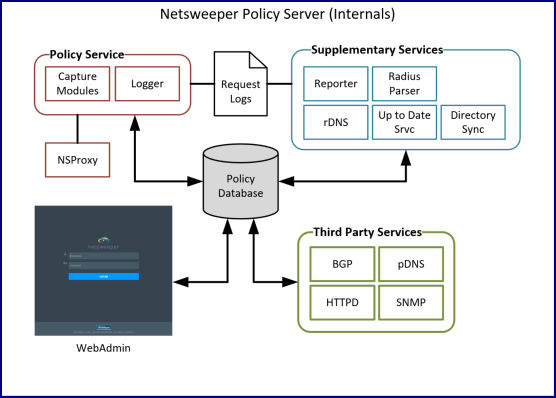
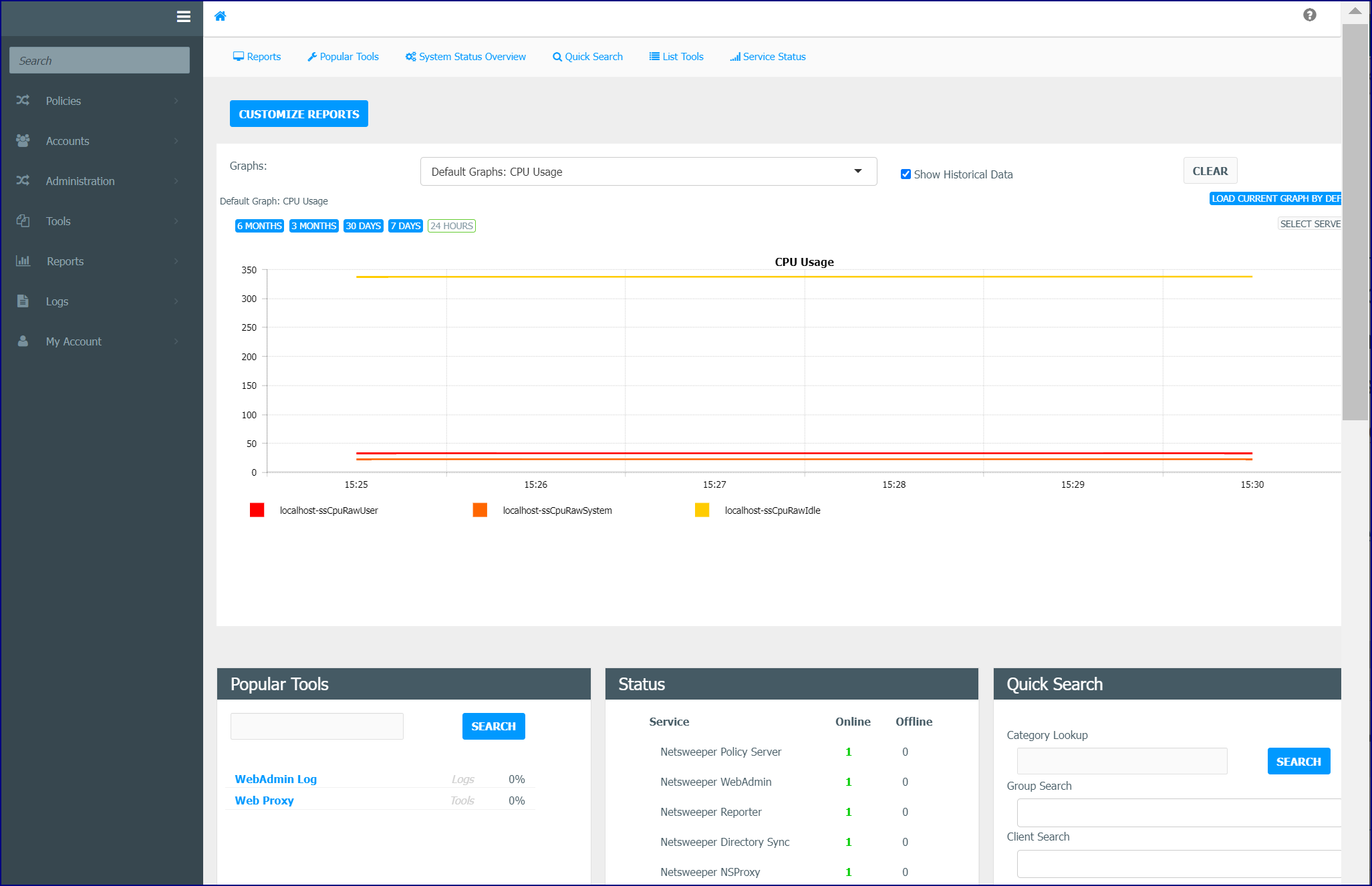
The WebAdmin is a web application that administrators (Admins) and system operators (SysOps) can use to manage the Netsweeper content-filtering system. It runs on the Apache Web Service (httpd). You can use the WebAdmin to configure, monitor and troubleshoot Netsweeper components, including the WebAdmin itself.
Read More: WebAdmin Overview
Accounts Overview
An Account is a user with limited privileges to manage filtered clients in their Group. Usually, this person has some authority over the other users such as a teacher over a class of students, a manager over a group of workers, or a parent over a family. There are a variety of Accounts available for delegating filtering administration. Administrators and, in limited cases, SysOps (System Operators) use the Accounts window to create accounts that can manage Groups, Accounts or perform specific tasks. SysOps can be assigned specific permissions to certain tools. This can be used to create multiple management Accounts for different Groups and Clients that allows you to delegate administration.
The Accounts window is used to create, edit, and delete Accounts. Use this window to import or export accounts or to view Account Group Memberships.
Read More: Accounts Overview
WebAdmin Overview
Simplified Category Based Processing
Groups Overview
Clients Overview
Delegated Administration
Importing a List
Verifying Filtering
Services Overview
Reporter Service