Notify User on Account Creation
Netsweeper supports automatic notification to users when their Account is created. This can be configured by navigating to WebAdmin Settings >General Settings.
Please note: Only Admin Accounts can gain access to WebAdmin Settings. Furthermore, your deployment may need additional configuration in order to be able to send emails.
-
Send Email on Account Create: Select this checkbox to enable the feature.
-
Account Create Email Content: allows you to customize the email that gets sent.

-
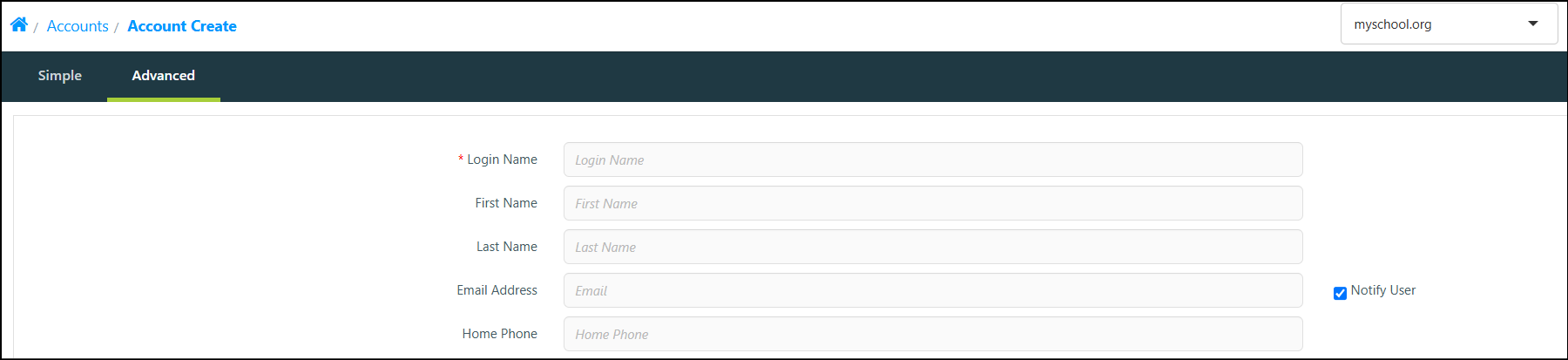
If enabled, a Notify User checkbox displays beside the Email Address field in the 'Create Account' window.
-
Enter the User’s email address. If the checkbox is enabled, an email will be sent automatically when the Account is created.
Additional Information
for more information on the 'Send Email on Account Create' and 'Account Create Email Content' settings, please refer to our WebAdmin Settings: General Settings documentation.
For information regarding the configuring email sending, please refer to our WebAdmin Settings: Email Sending Settings documentation.