The Accounts Window
The 'Accounts' window consists of five tabs: List, Manage Groups, Templates, Lockouts, and Access Tokens. Each of these windows provides access to specific management aspects for your WebAdmin Accounts. You can access the Accounts window by navigating to Accounts > Accounts.
Please note: Not all of the Accounts tabs may be available, depending on your Account Type as well as your assigned Account Permissions.
The List Tab
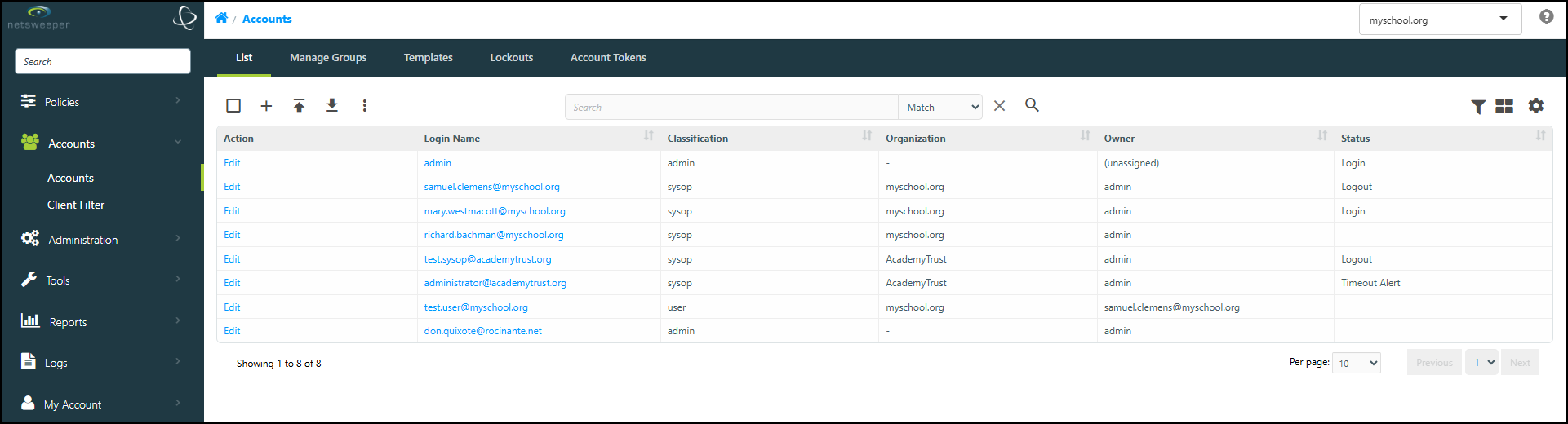
The 'List' tab is used to create and import new Accounts, as well as to export and manage existing Accounts.
-
Use the 'Create' (+) button to access the 'Account Create' window.
-
Select the Edit button or Account Name for the desired Account in order to access and manage that Account.
-
Use the Import/Export buttons to import or export Accounts.
-
The More Actions > Email button opens the 'Send Email' window, which allows you to send an email to one or more Accounts.
-
The 'Status' column displays the status of the Account: Expired Password, Blocked, Login, Logout, and Timeout Alert.
The Manage Groups Tab
The 'Manage Groups' tab to is used to assign Accounts to Groups, as well as to view existing assignments.
-
Use the Export button to export the current list.
-
Use the Import button to import a list and quickly assign Group Assignments to existing Accounts.
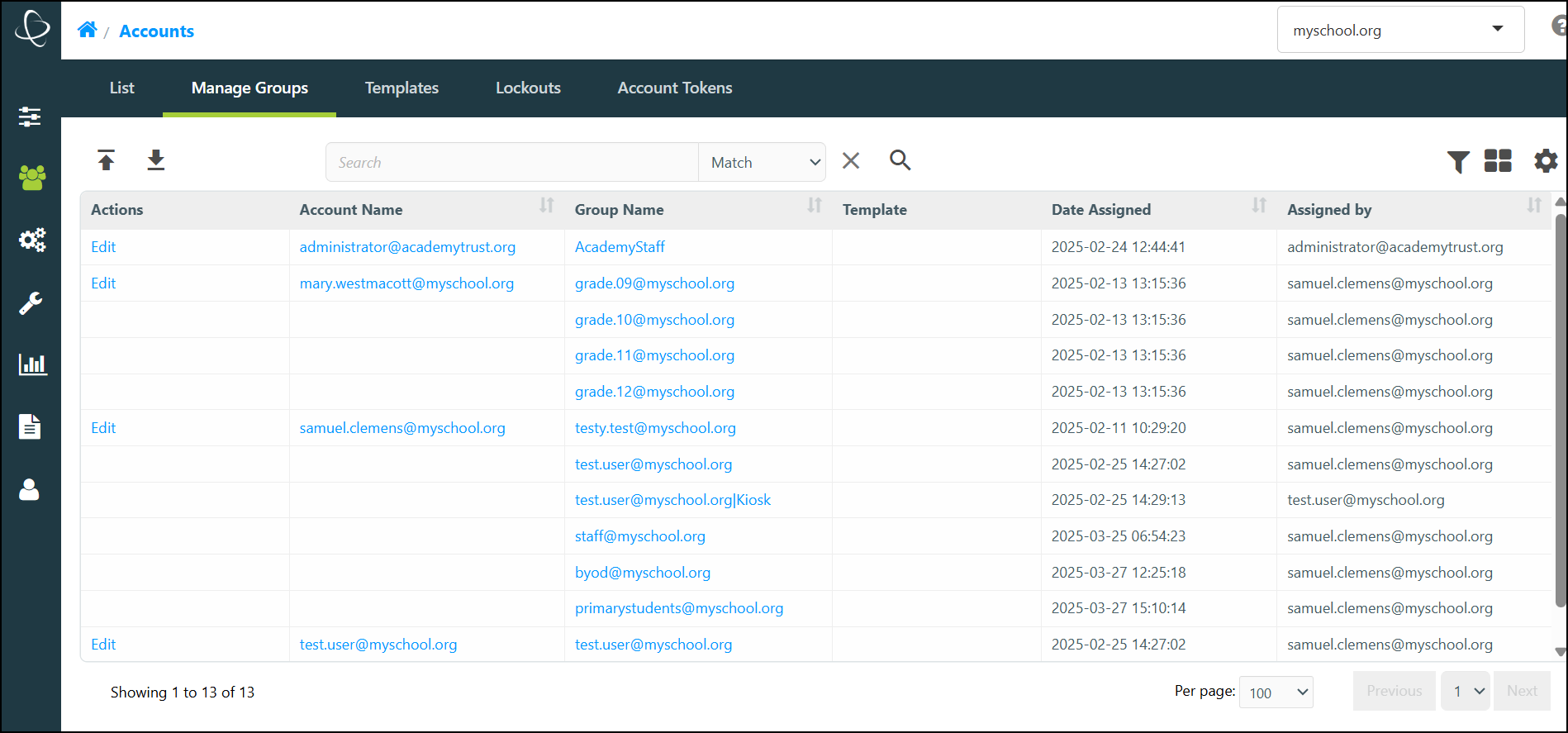
- Select the Edit button beside the name of the Account whose Group memberships you want to modify. This displays the 'Edit Account' window for that Account.
- From this window, you can add a Group to an Account or remove a Group (or Groups) from an Account.
The Templates Tab
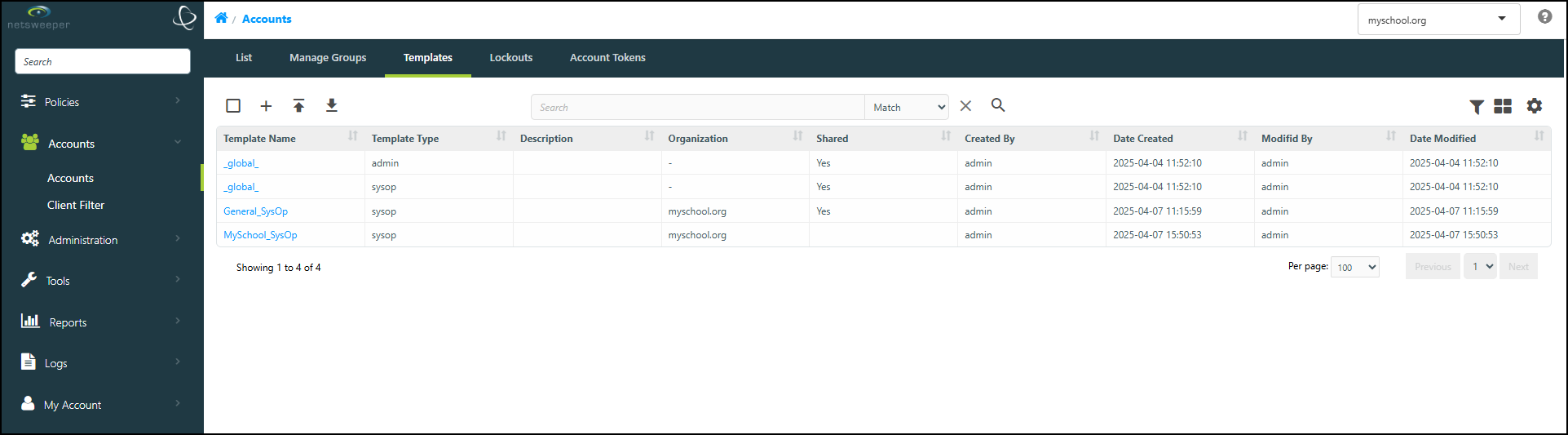
the 'Account Templates' tab is used to create and import new Account Templates, as well as to manage and export existing Account Templates.
-
Use the 'Create' (+) button to access the 'Create Account Template' window.
-
Select an existng Template Name fn order to access and manage that Account Template.
-
Use the Import/Export buttons to import or export Account Templates.
For more information about Account Templates, please refer to our Account Templates documentation.
The Lockouts Tab
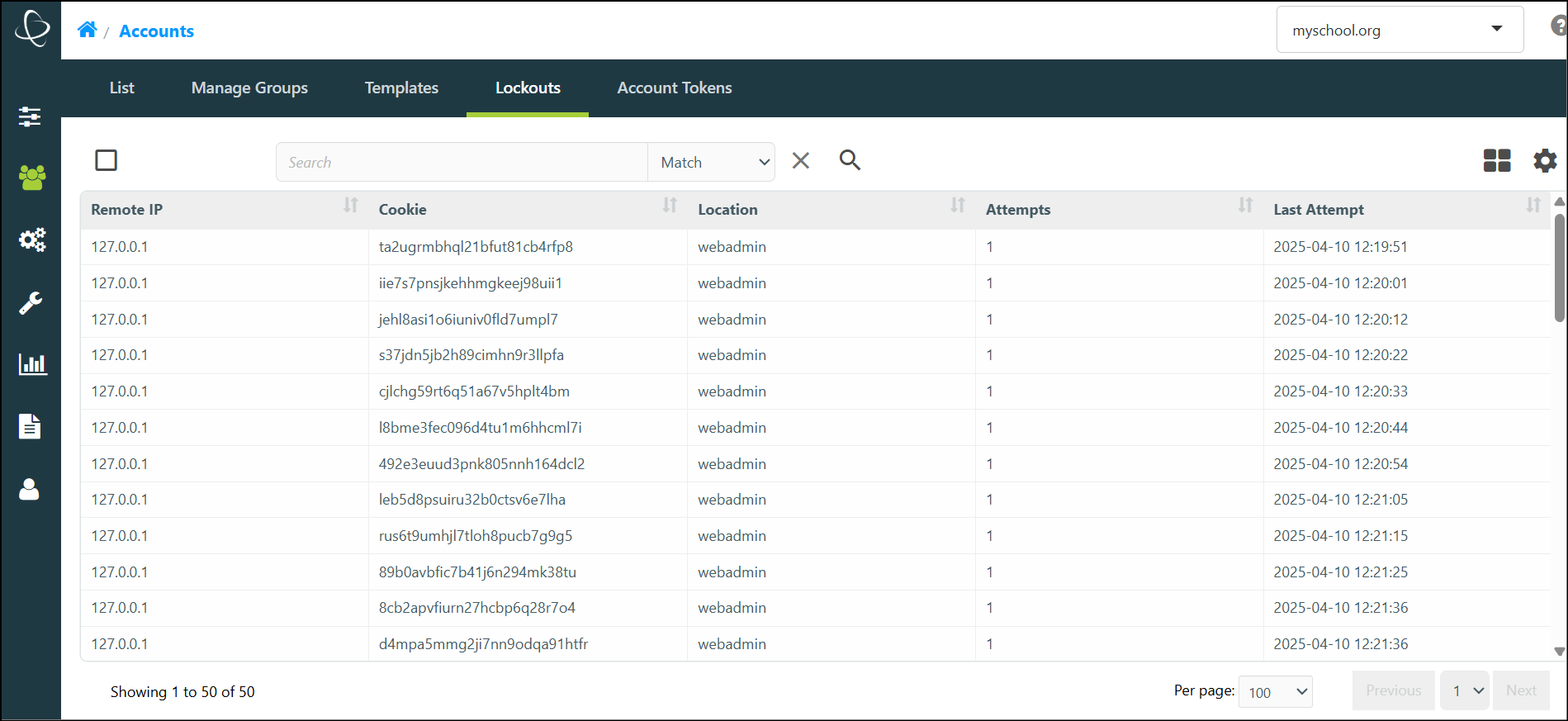
The 'Lockouts' tab displays information on Accounts that are locked out.
-
The available columns include Remote IP, Cookie, Location, Number of Attempts and the Last Attempt.
The Access Tokens Tab
The 'Access Tokens' tab is used to view and delete tokens for Admin and Sysop account users.
-
Accounts with the necessary Permissions are able to view and delete tokens of the managed Account users.
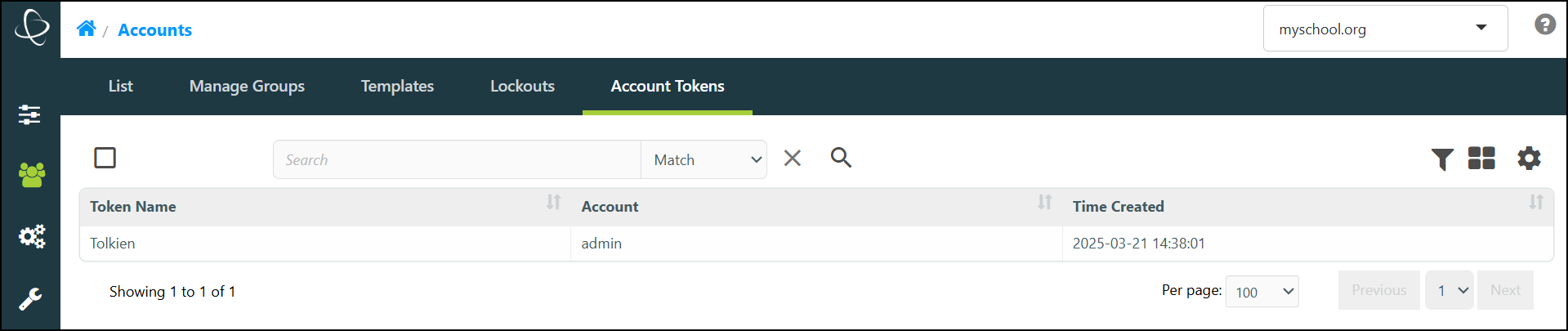
Please Note: Access Tokens can not be created through this tab, only managed.
For information on creating Access Tokens, please refer to our My Account Preferences documentation.