Group Attributes and Preferences
Netsweeper 'Groups' are groups of Clients that share the same set of filtering rules, (or Policies). The Group is what ties the Client, (the end-user protected by Netsweeper,) and the Policy together.
There are two types of Groups: Groups with 'Advanced' options and 'Simple Groups', which provide a simplified interface and toolset.
Group creation can generally be divided into Attributes and Preferences.
Group Attributes
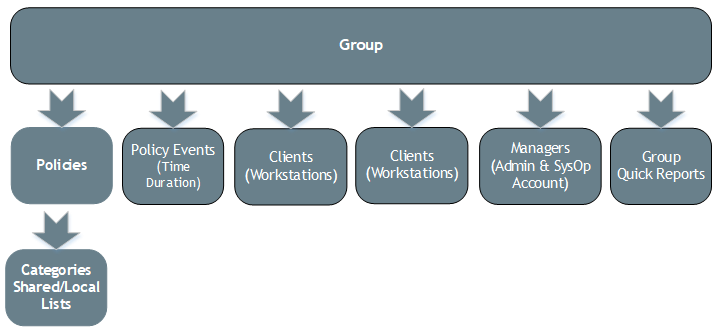
Attributes are the functions assigned to a Group. You can assign Polices and their related Categories to a Group and then apply Policy Events, the time when these Policies are applied to the Policies. A Deny Page can be assigned to display for a specific Group as well as Quick Reports. You can also assign Clients (Workstations or Users) to each Group.
Group Preferences
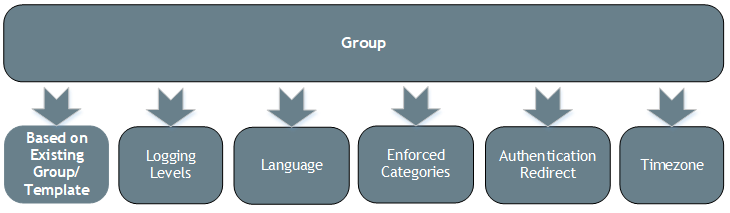
Preferences are the configuration settings for the Group. You can create or reset your Group based on a Template or an existing Group. You can set the Logging Level and Language as well as Enforced Categories for each Group. You can specify a Timezone and you can also choose to specify Authentication Redirect as your filtering type.