See Also
The ‘Simple' Group option lets you quickly create a Group. the Simple Group interface provides no Policy and therefore no Policy Event Calendar. You can apply Category Templates, Custom Categories, Local and Shared Lists. In addition, Quick Reports can be assigned. For information on advanced Group options, please see the Groups Window Overview documentation.
Creating a Simple Group
-
To create a Simple Group, select the Create Group button.
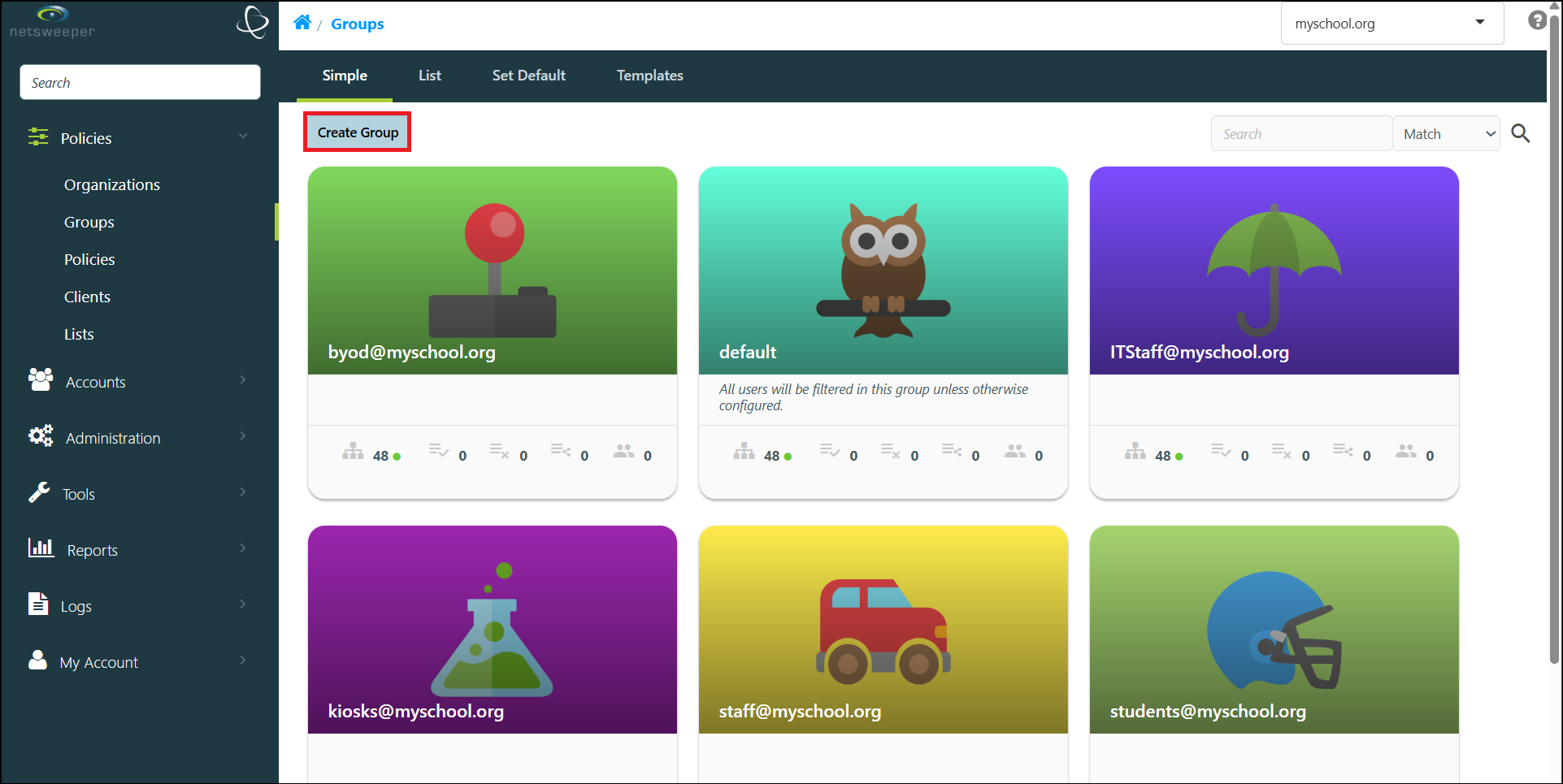
-
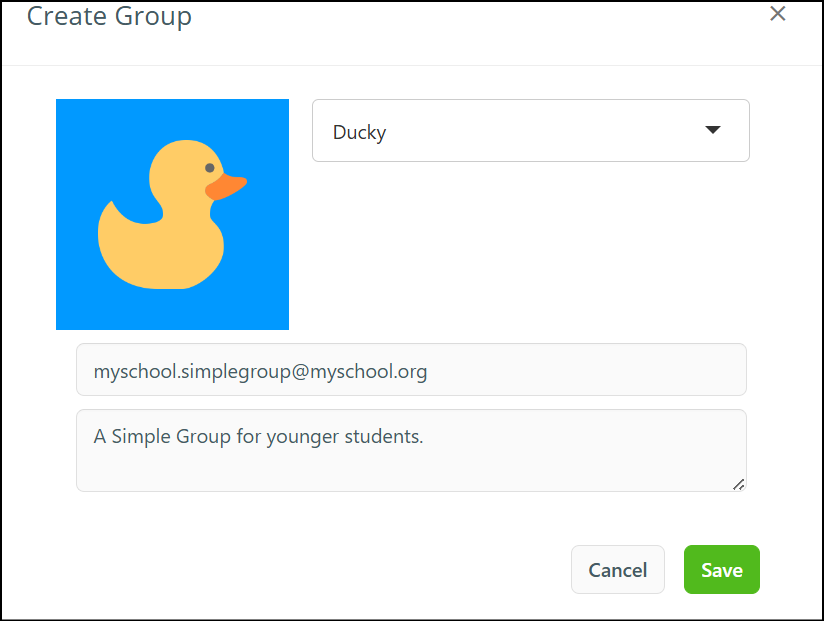
The 'Create Group' pop-up displays.
-
Choose an icon, provide a name (with no spaces) for the Group in the Group Namefield. You can also add an optional description.
-
Select the Save button to finish creating the Simple Group.
Managing Existing Simple Groups
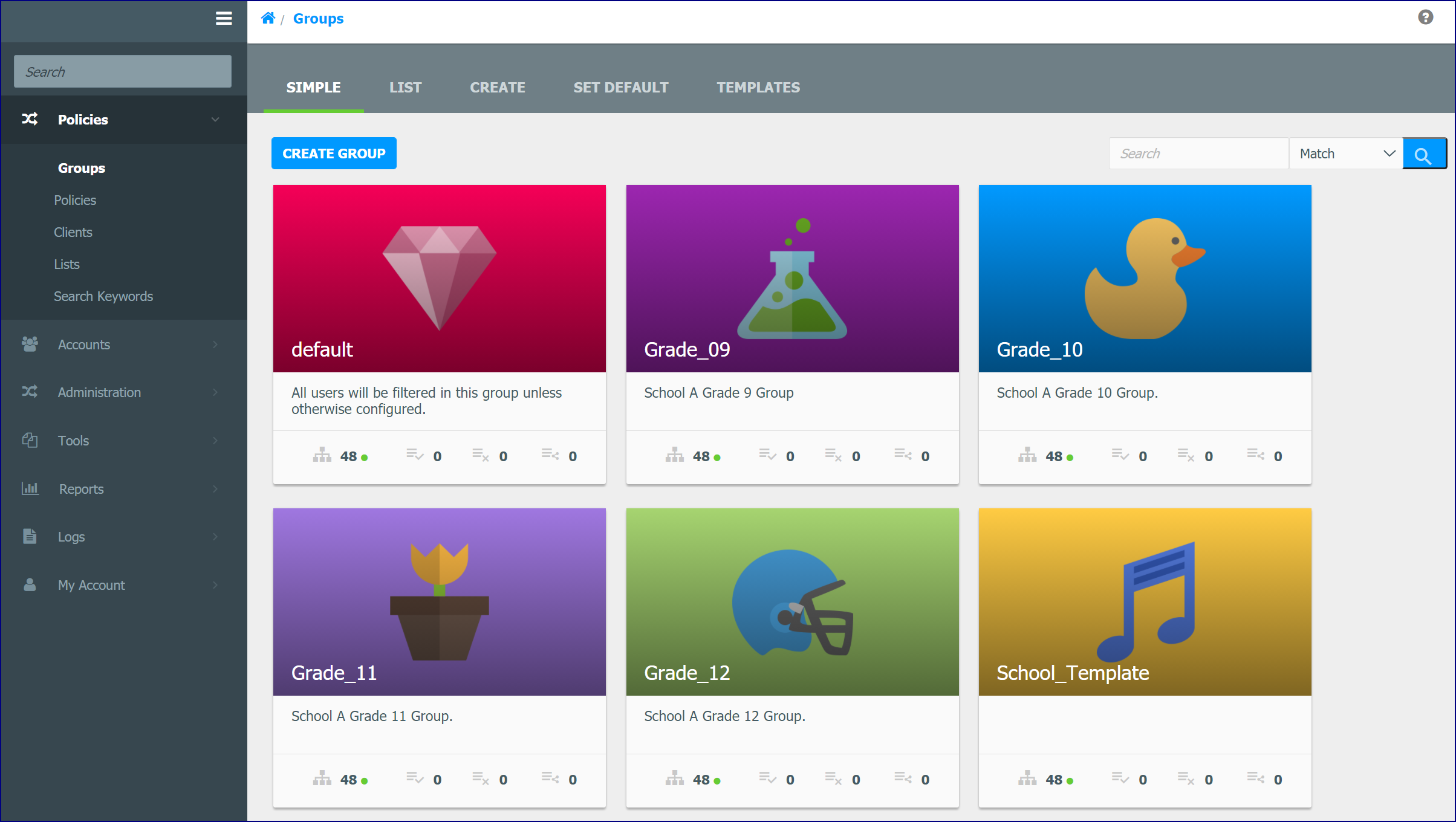
To view or modify an existing Group, choose the Group to display its properties. You can assign Category Templates or Custom Categories can be applied. In addition, entries can be added Allow or Deny and Shared Lists can be applied. You can also assign Quick Reports.
See also: Modifying Simple Groups
Simple Group Cards
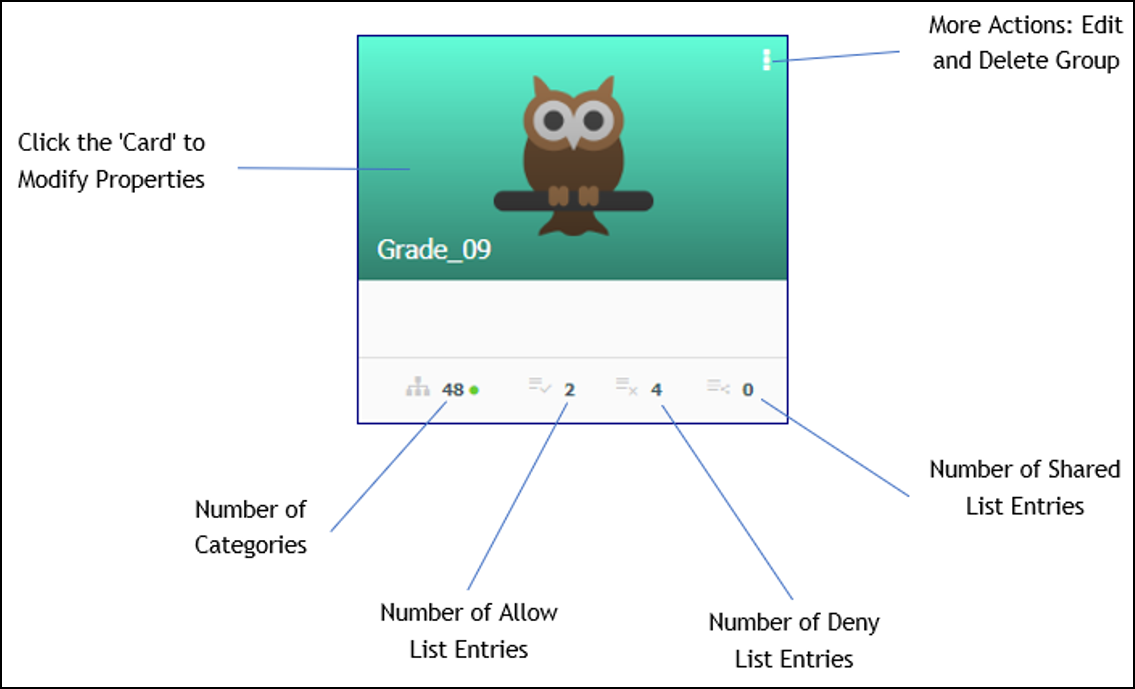
Cards for each Group in the ‘Simple' Group show the number of Categories as well as individual List Entries for the Group. The Actions icon lets you edit Group Properties and delete the Group. Selecting the Group's 'Card' allows you to modify the Simple Group's properties.