List Management
Local Lists
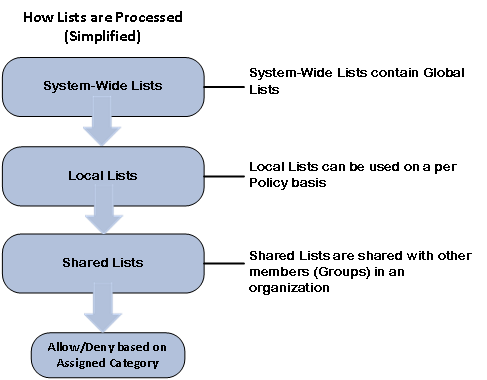
The URL/Keyword Local Lists are used to perform Actions for specific URLs for a selected Group policy. Only users assigned to that Policy’s Group, during times when the Policy is active, will be affected. Lists allow for any actions (allow, deny, assign a category, rewrite the whole URL). Local Lists have a higher priority than Shared Lists. However, System-wide Lists have a higher priority than both Local and Shared Lists. See 'How Processing Steps are Checked'.
Read: Local Lists
Lists Overview
Lists are URL or Keywords that can be used for filtering within a Policy. There are different types of lists with different functions that can be used by Netsweeper customers. A System-Wide List can provide filtering for Global Lists. A Local List can be used on a per Policy basis and assigned to a Netsweeper Group. You can also have Shared Lists that are shared with other Groups in your organization.
Read: List Documentation
List Search Overview
The Lists Search tab is found in the Policies > Lists window.
The List Search tab displays a list of existing URLs and Keywords under the Local Lists and Shared Lists tab. In some cases, identical entries can be added to multiple Local or Shared Lists. These entries can cause unexpected outcomes by blocking or allowing content. The List Search tool can find these similar entries and display their location. Once these list entries are found, they can be edited, deleted, copied, moved to an existing list, or moved to a new list.
Read: List Search
Managing List Entries
In the ‘Lists’ window, when you click on a List, it opens the ‘Edit List’ window. This document is an overview on Managing List Entries.
Read: Managing List Entries
Importing and Exporting Lists
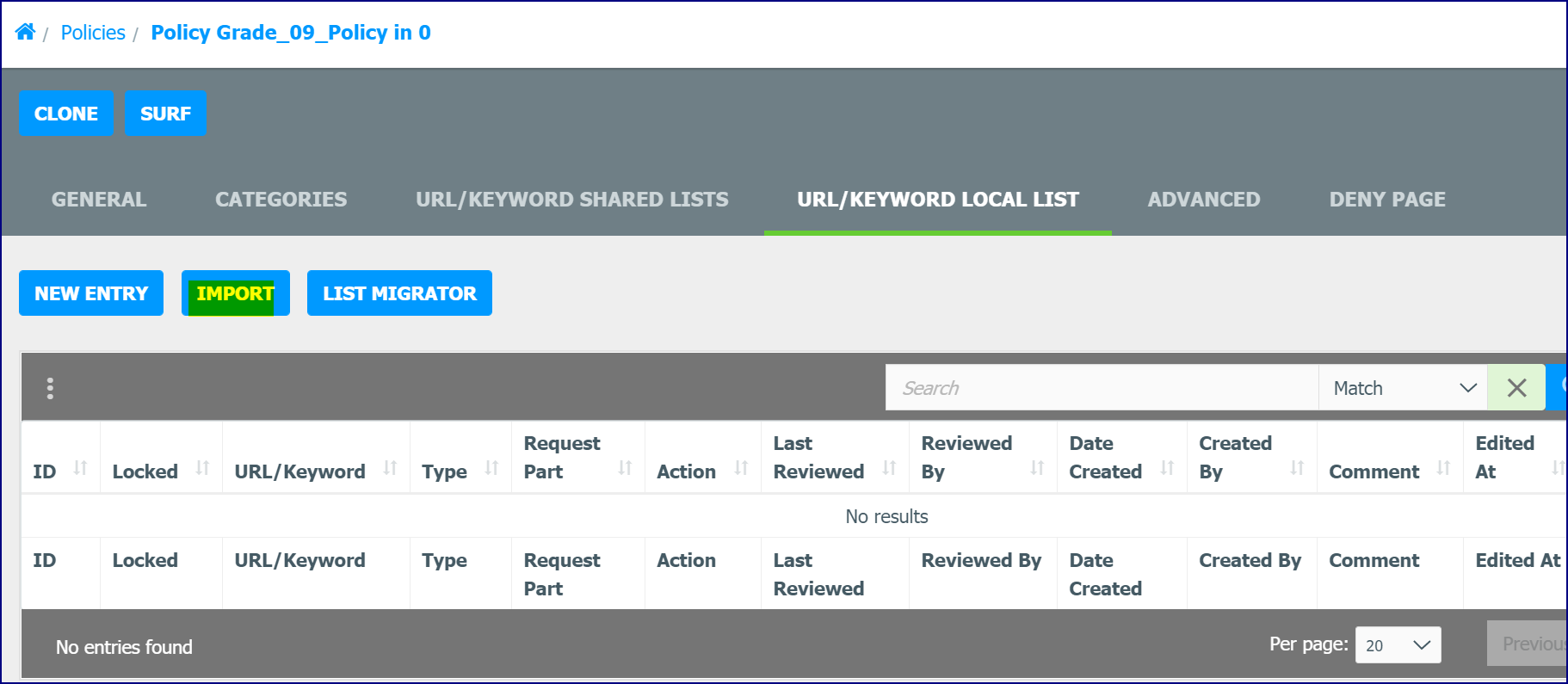
The most efficient way to add a list of URLs to your local Allow or Deny lists is to create an Excel CSV (UTF-16LE), Comma Delimited, or Tab Delimited list in Excel or a text editor and then import the list into the WebAdmin. Use the Export button to export a list to a text or csv file. You can modify this file and then import it. Create the Local URLs import file with each field comprising one column.
Read: Importing and Exporting Lists
Shared Lists
Shared Lists can be created in the 'Lists' window, List Search, the List Migration window, or they can be converted from a Local List. They can then be added to Group/Policy Templates and used for filtering in a Group Policy. Shared Lists perform the same actions as Local or System Wide Lists. These actions include allow, deny, assign a Category, or rewrite a whole URL. It should be noted that all Lists under the Shared tab in the 'Lists' window are 'Shared Lists'. Lists that are 'System-Wide' Lists are designated in that way because they have been added to 'Processing Step'.
Read: Shared Lists